Not a wrapper.
A control room.
The MIGI Android app is a native client for the MIGI agent fleet — the 46 autonomous agents that handle Suman Debnath's brand work, applications and monitoring. It puts the fleet's approval queue on a phone, so the agents are not stalled waiting for someone to reach a desktop.
MIGI is 46 autonomous agents running on schedules — triaging roles, watching sites, reconciling spend, drafting posts. Version 2 is a real native Android client for all of it: 22 screens drawn in Compose, instant push, on-device voice — and not a single API key on the phone.
46
Agents
in the fleet
22
Screens
drawn natively
20+
API routes
consumed
0
API keys
inside the APK
1
Backend file
changed, total
~15
MB
release APK
A wrapper is a bookmark.
The first MIGI app did one honest job. It wrapped the mobile view of the agent dashboard in a WebView, put a biometric prompt in front of it, persisted the session for seven days so the passphrase and 2FA code were not needed on every open, and hid the browser chrome edge-to-edge.
It worked. It removed the real friction — opening a tab and logging in just to check whether anything had failed overnight. Two of the three phases that got there were spent making the dashboard itself genuinely responsive on a phone, which the app still benefits from today.
But it rendered the dashboard’s own HTML. That is the ceiling. A wrapper can never do anything a browser tab could not already do — and the things worth having on a phone were all on the other side of that line.
The version 1 archive
All twenty screens of the wrapper, kept for the record. Scroll the strip, tap any to enlarge.
Five things a wrapper structurally cannot do.
None of these are polish. Each one is blocked by the platform, not by effort — which is what made a rewrite the only honest option.
Voice input
The dashboard sends a permissions policy that blocks microphone access in any browser context — a WebView included.
Push notifications
No web page can hold a background connection once it is closed. Alerts had to arrive through Telegram instead.
Home-screen widget
Widgets are drawn by a native process. A page in a box cannot put fleet health on the launcher.
Share target & quick tile
Android intent surfaces. Unreachable from web, so nothing could be captured from another app.
Instant cold start
A wrapper refetches and relayouts on every open. Nothing is on disk to paint from.
Rebuilt from the API up.
Version 2 does not render the dashboard. It calls the dashboard’s JSON API and draws every screen itself in Jetpack Compose — which is what buys voice, push, widgets and instant cold starts. The dark palette is a deliberate divergence from the web dashboard’s cream: a phone checked at 1 a.m. has different needs from a monitor in daylight.
Graphite, not black
Lime on pure black vibrates. On a ground from the same colour family it sits properly, which is why the page background carries a green bias.
Two accents, not one
A single accent on a dark ground reads cheap. Aqua already existed in ECHO’s identity, so the second register is grounded in the brand rather than invented.
Lime carries a fifth
Reserved for four jobs only: the hero statistic, the primary action, the active nav indicator, and positive quantities. Anything more and it stops being a signal.
Status hues off the ramp
Healthy, running and failing sit outside the brand ramp on purpose — otherwise “healthy” starts competing with “this is a button”.
Density over decoration
The first pass was one card per record: a column of identical slabs where a failing agent looked exactly like a healthy one. Grouped rows gave roughly four times the density.
Monospace for figures
Labels, numbers and timestamps are monospaced — the native vernacular of agent tooling, and it ships with the platform so no webfont can silently fail.
The tokens
Bg
#0C100E
Graphite with a green bias — never pure black
Card
#111613
Raised surface, one step up from ground
Lime
#C6F24E
The brand. Roughly a fifth of any screen
Aqua
#35E0FF
Second accent, inherited from ECHO
Ok
#6FD37A
Healthy — deliberately off the brand ramp
Bad
#FF6B54
Failing. The only colour that interrupts
Four screens that earn
the rewrite.
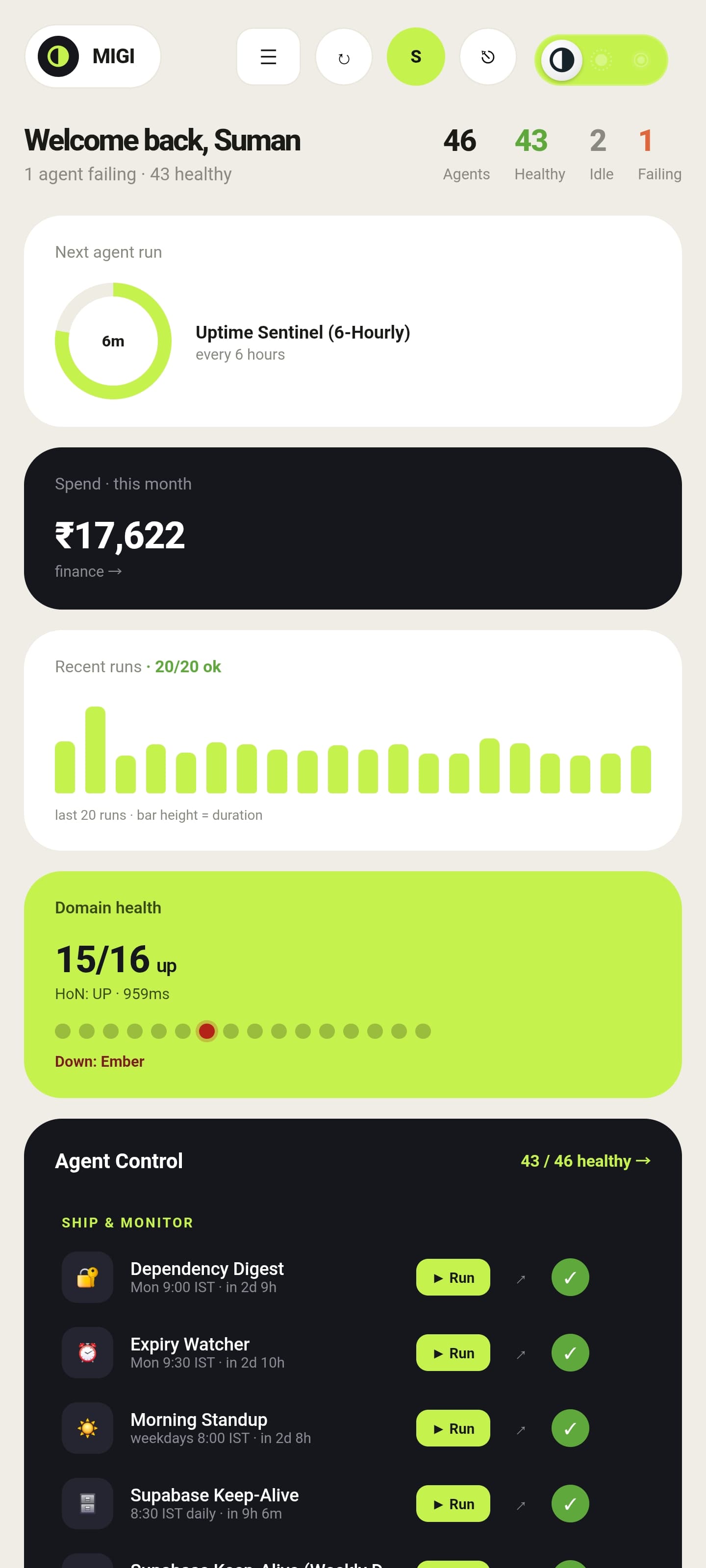
The whole fleet, at a glance.
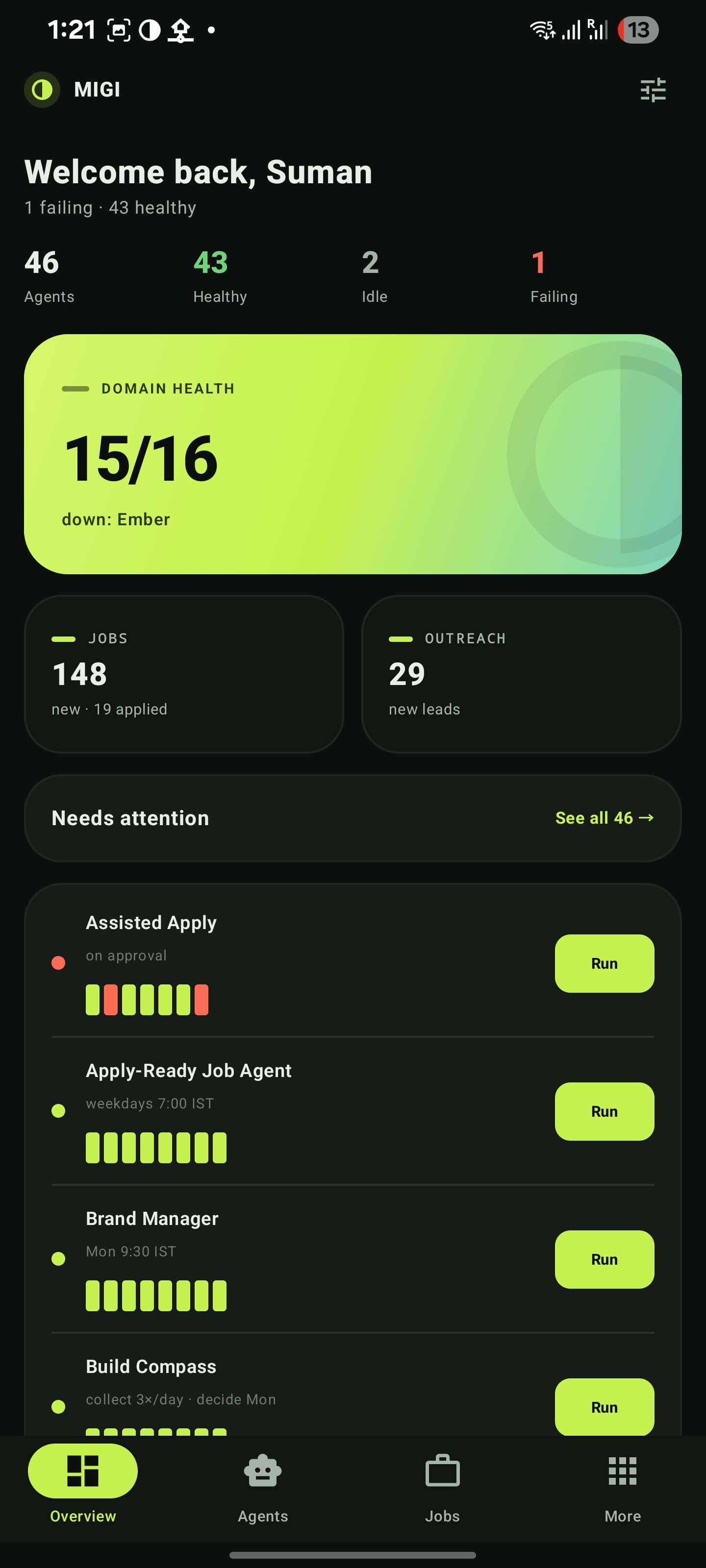
Every screen opens with one hero figure — the number that screen exists to answer. Overview answers “is anything broken right now?” before you have finished unlocking the phone.
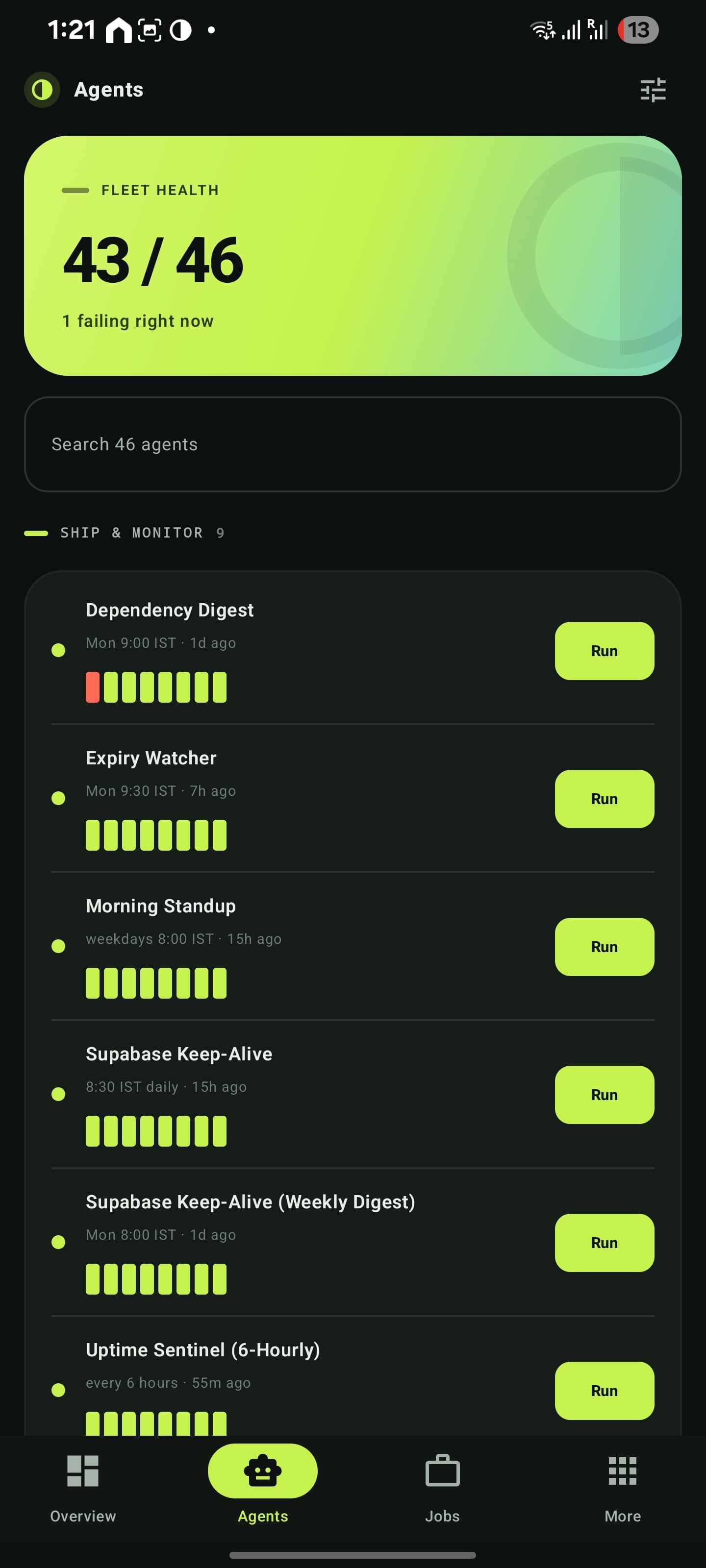
- 46 agents grouped by category, each with a run-history strip
- Needs-attention list capped at eight, failures sorted first
- One-tap dispatch on any agent, straight from the list
- Search across the whole roster, schedules and last-run times inline
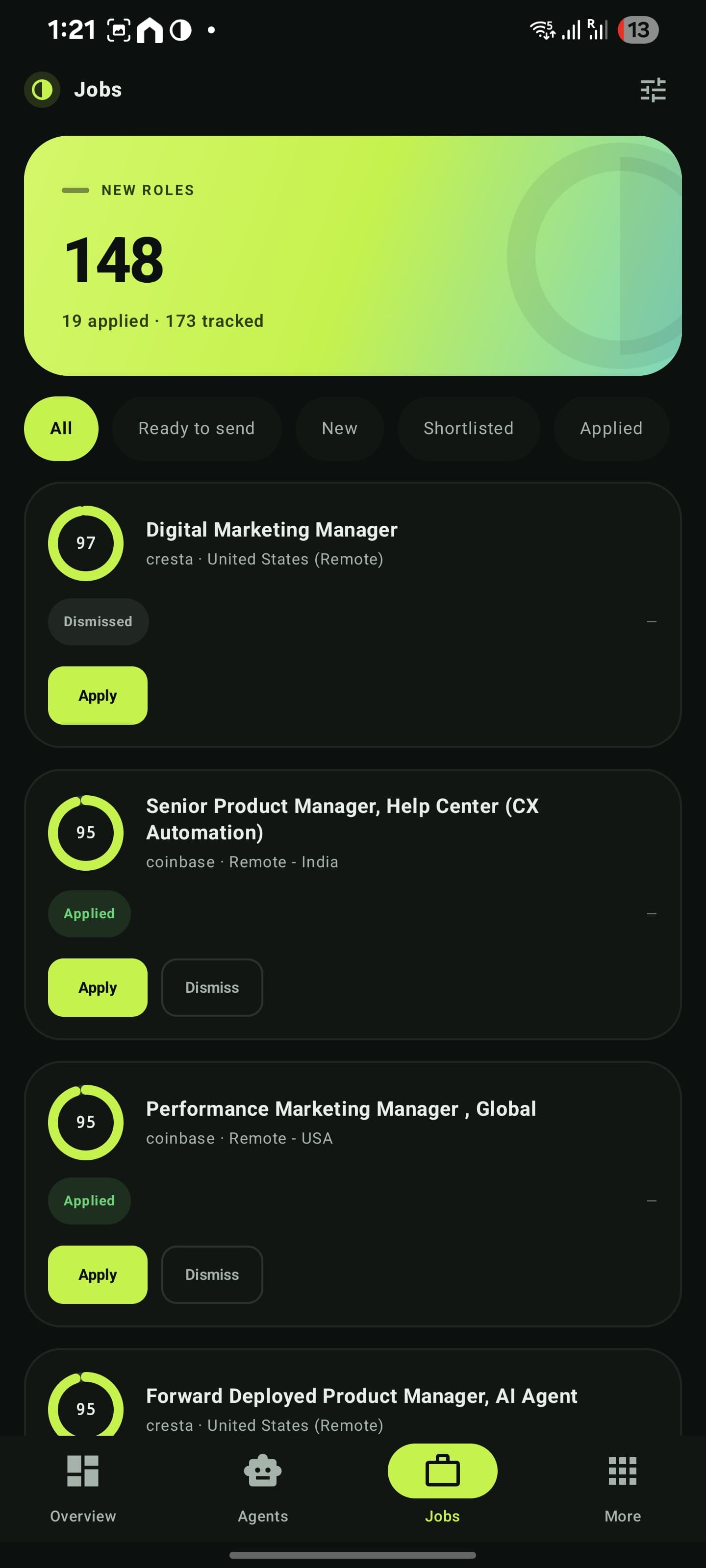
Roles, already scored.
The job agents run overnight and score every new role against the CV. The app is where that queue gets triaged — usually in under a minute, standing up.
- Circular fit meter, match reasoning and the specific gaps
- Swipe to dismiss, long-press to multi-select
- Bulk status changes sent as a single request
- Application packet and drafted cover letter per role
Talk to your own knowledge.
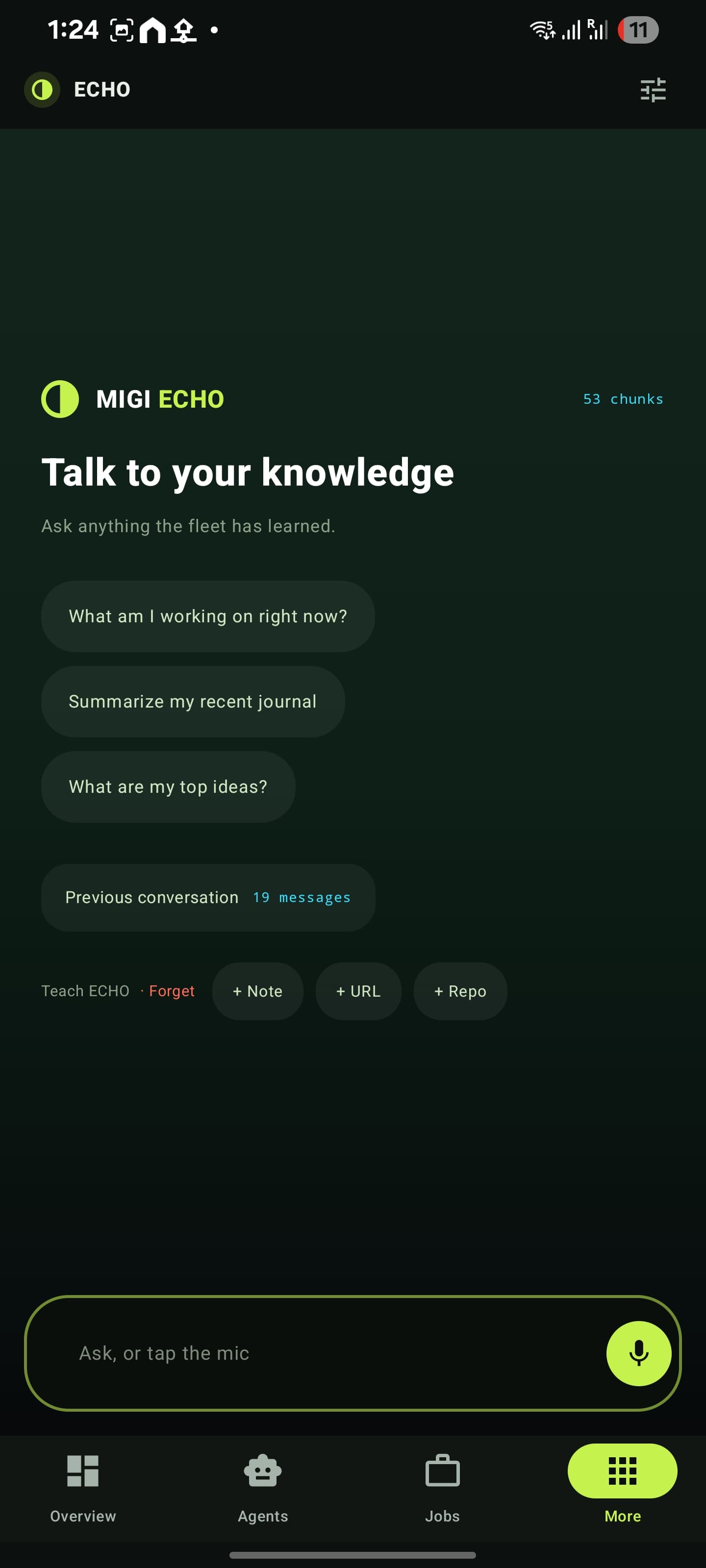
ECHO is the retrieval layer over everything the fleet has read and written. On the phone it gained the one feature the web version can never have: speech.
- Recognition runs on-device — only the transcript is ever sent
- The backend needed no change at all to support it
- Teach it a note, a URL or a repo from inside the app
- Forget by source, so a bad import can be undone cleanly
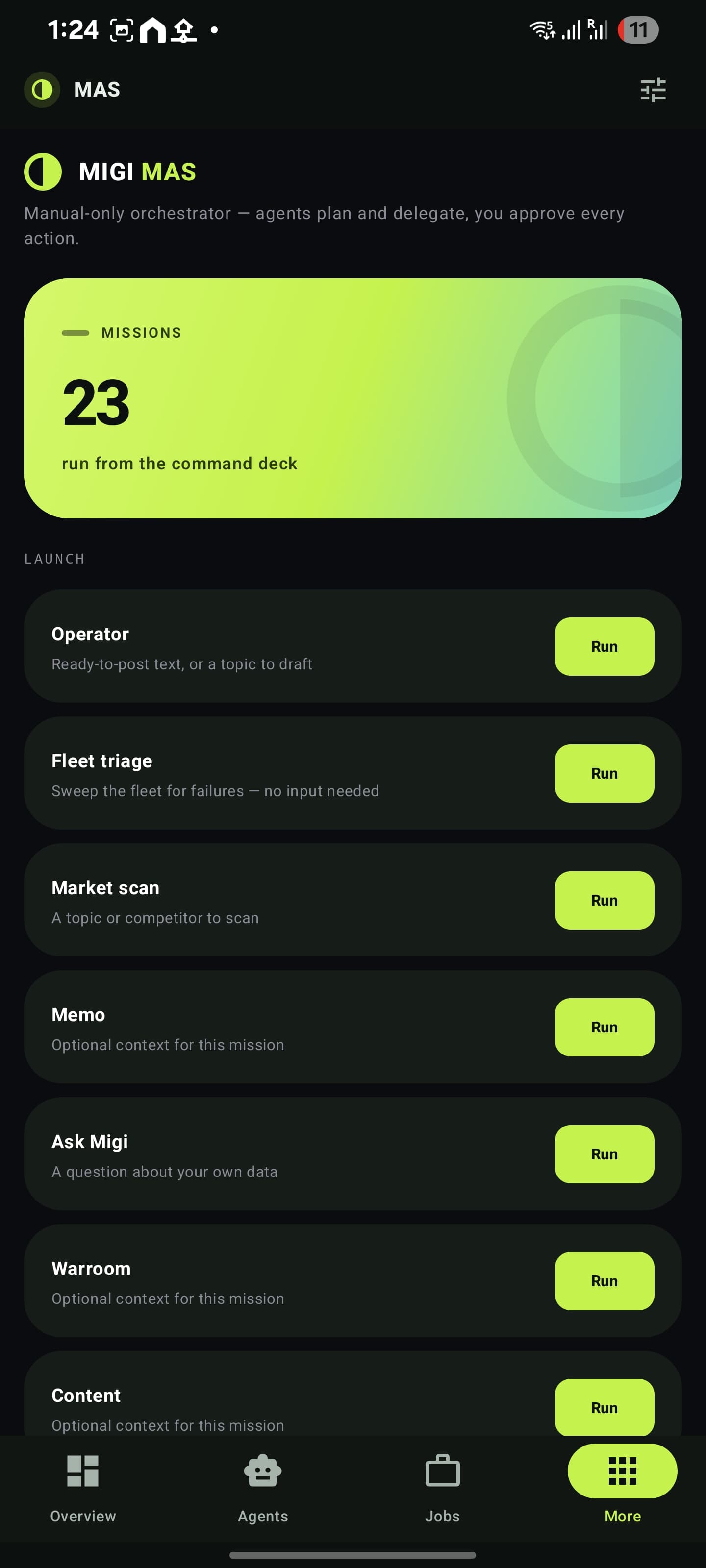
Missions, not prompts.
The multi-agent orchestrator, launchable from the command deck. Manual-only by design: agents plan and delegate, every action waits for approval.
- Fleet triage, market scan, warroom, content, operator, memo
- The full plan and per-action trace, live as it runs
- Also bound to the quick-settings tile — read-only triage
- A mis-tapped tile costs nothing, which is why it is read-only
Twenty-two destinations.
Four in the bottom bar.
Overview, Agents, Jobs and More carry the navigation. Everything else lives in a single sheet of lime-washed tiles, one tap from anywhere — because a five-tab bar with a hamburger is how apps stop being usable one-handed.
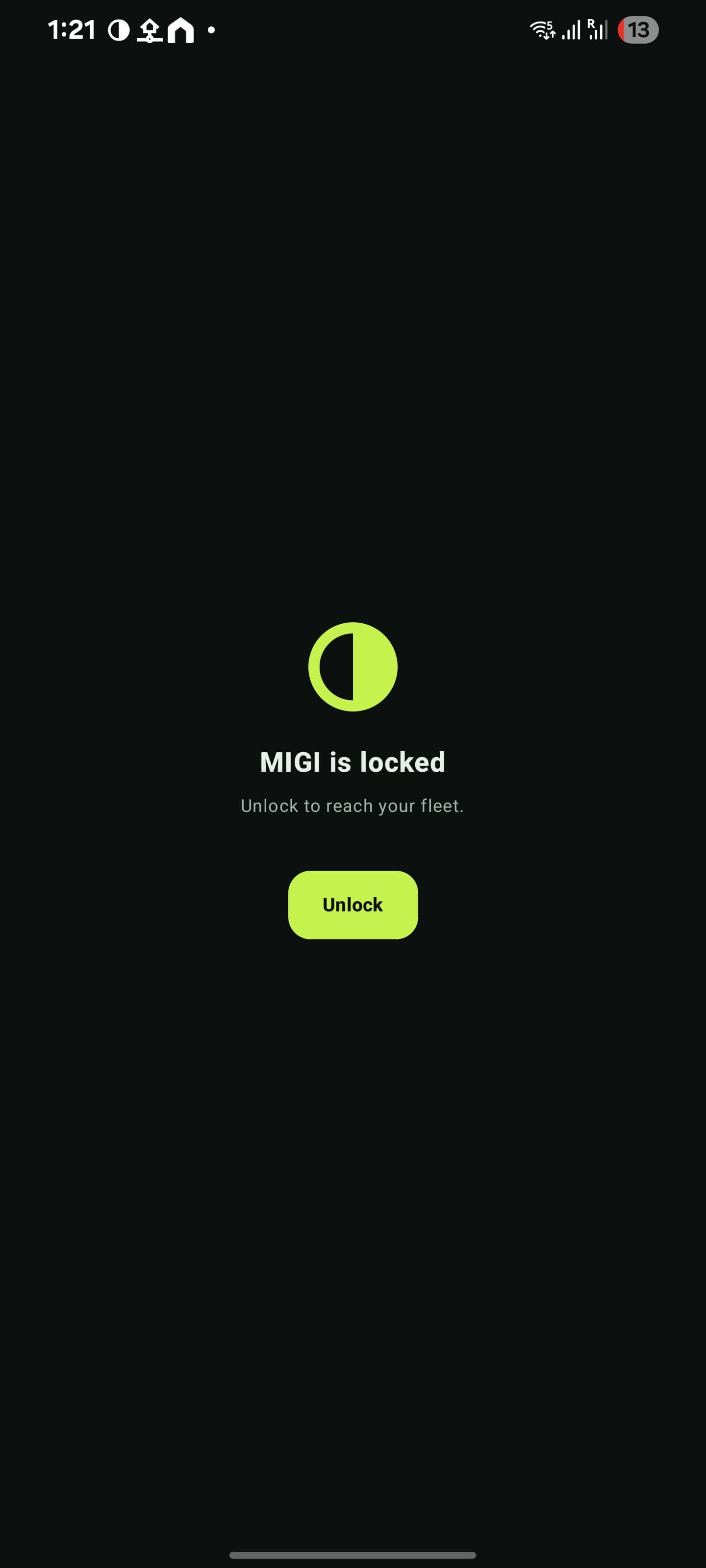
App lock
Biometric gate before anything renders
Overview
Fleet health and what needs attention
Agents
46 agents, grouped, with history strips
Jobs
Scored roles with fit meters and triage
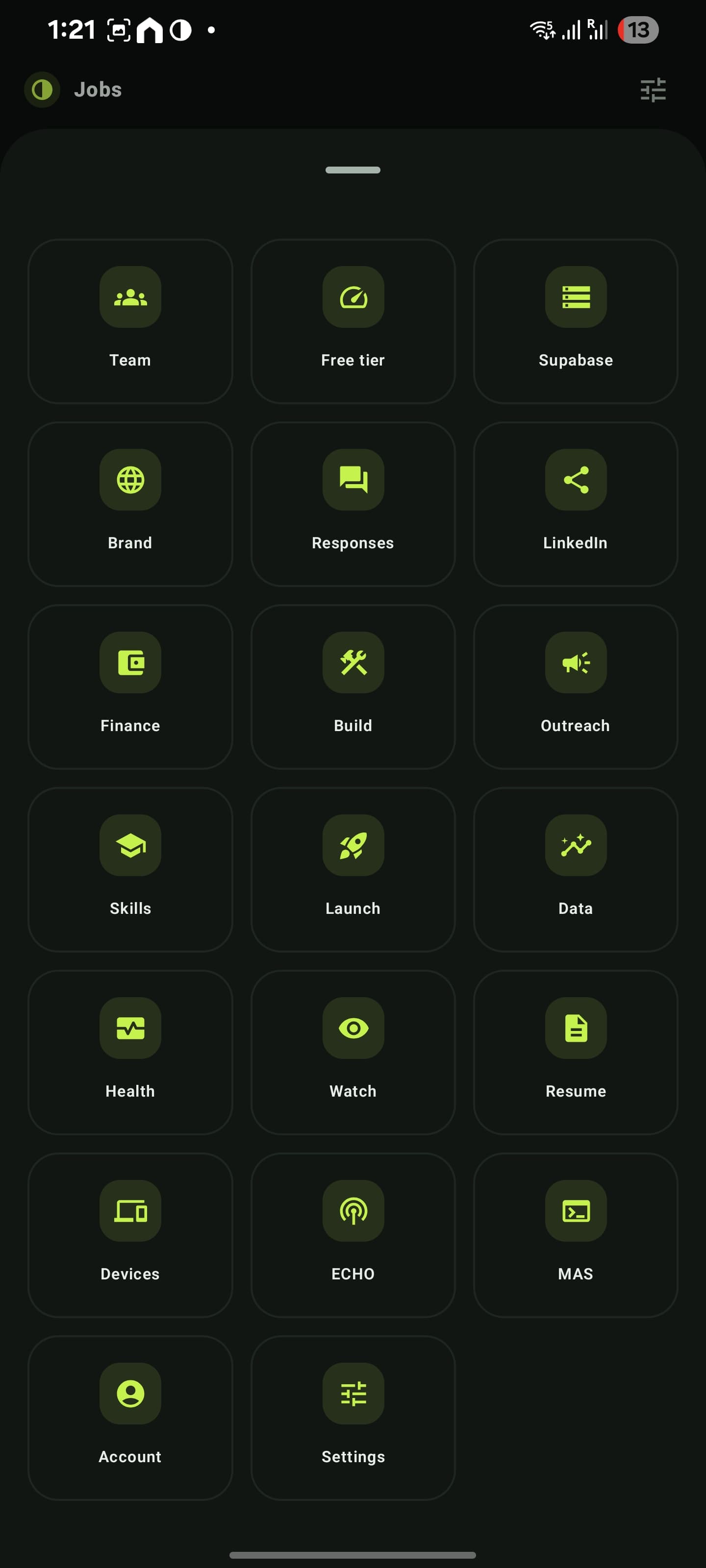
More
Every other destination, one sheet
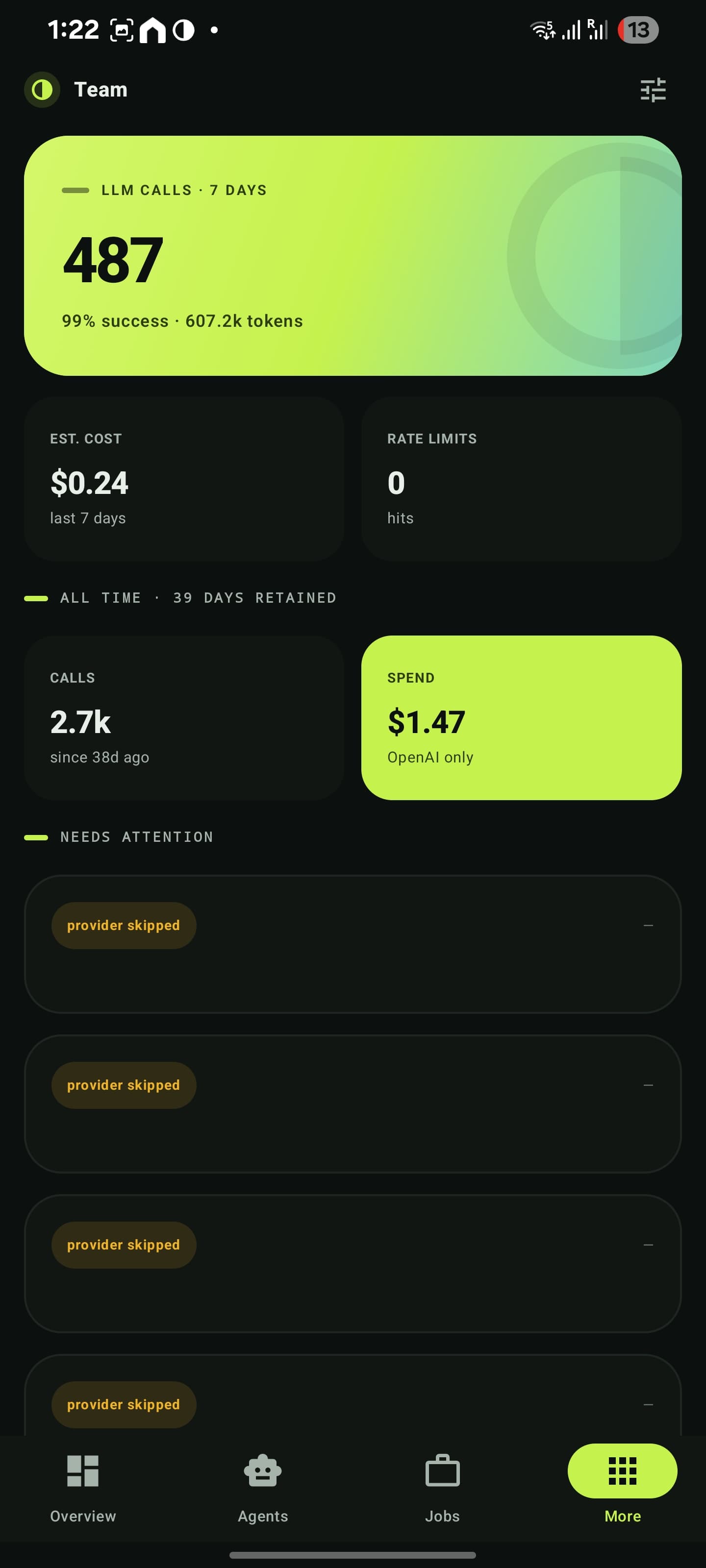
Team
LLM calls, spend and rate limits
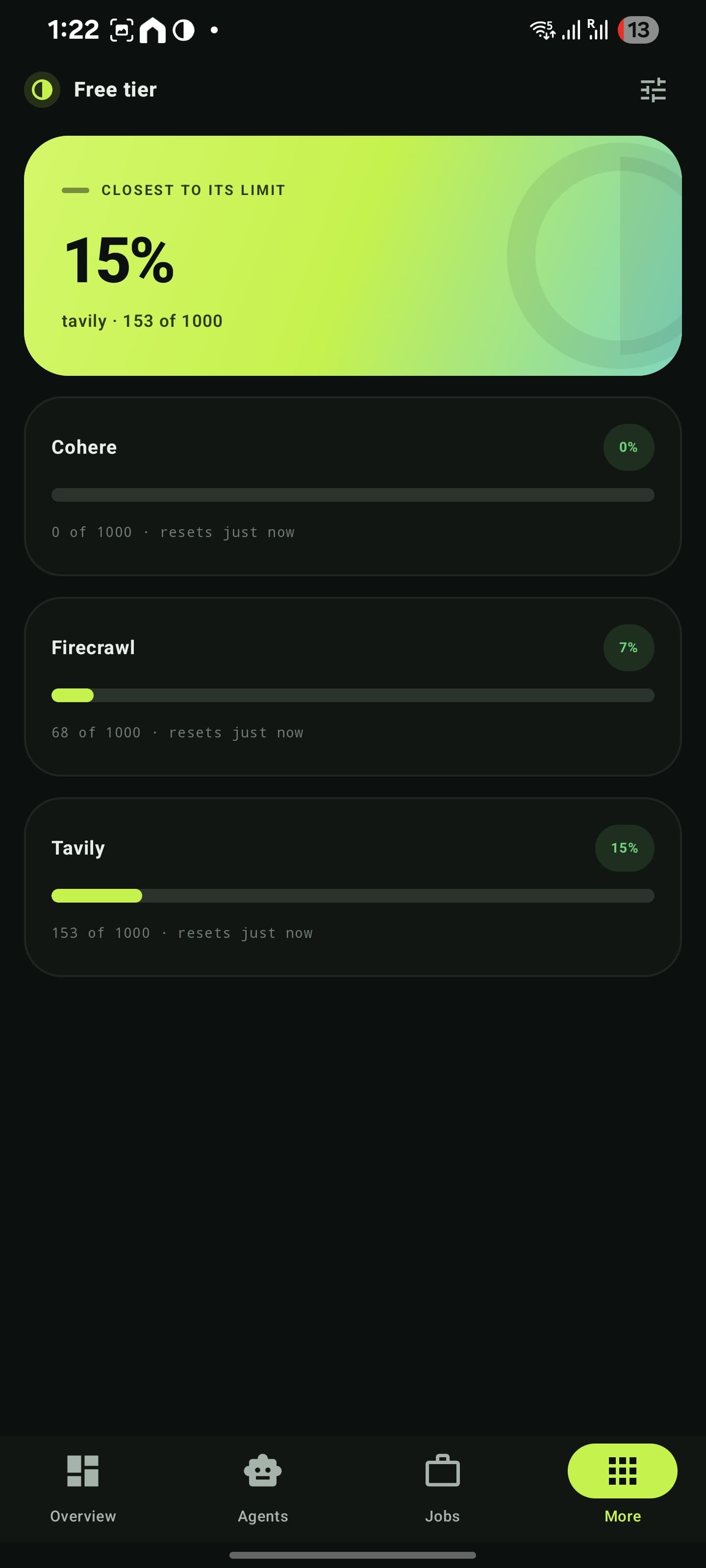
Free tier
Provider closest to its ceiling, first
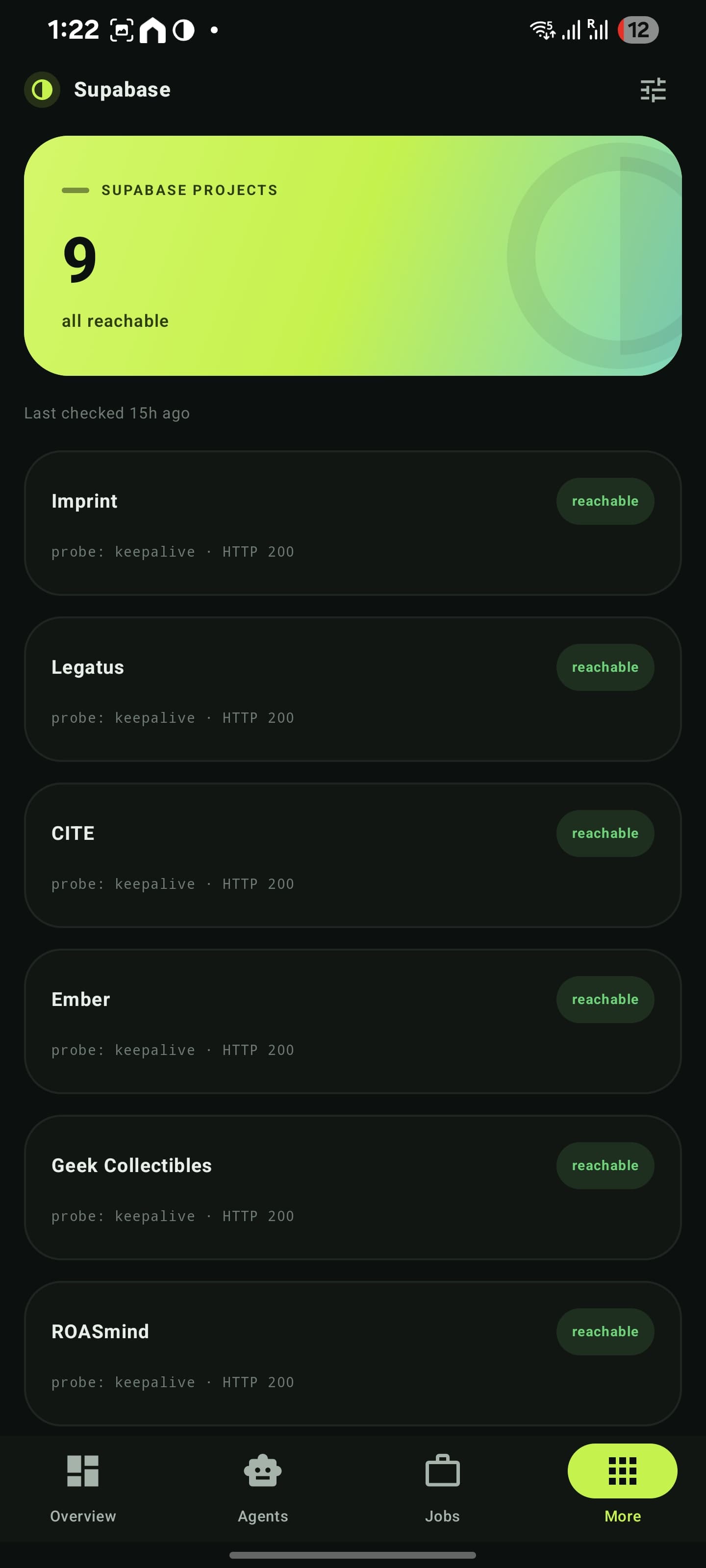
Databases
Reachability probes across projects
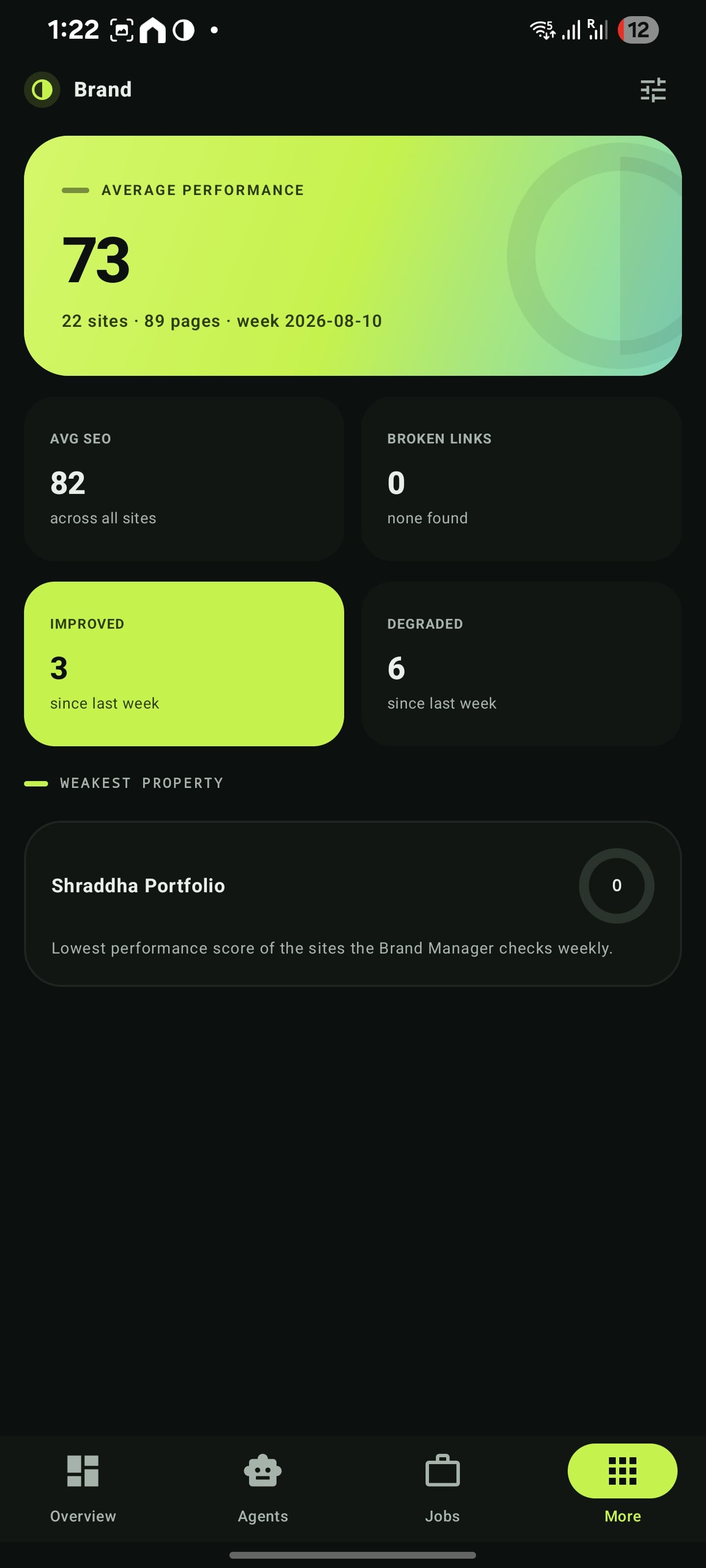
Brand
Performance, SEO and the weakest property
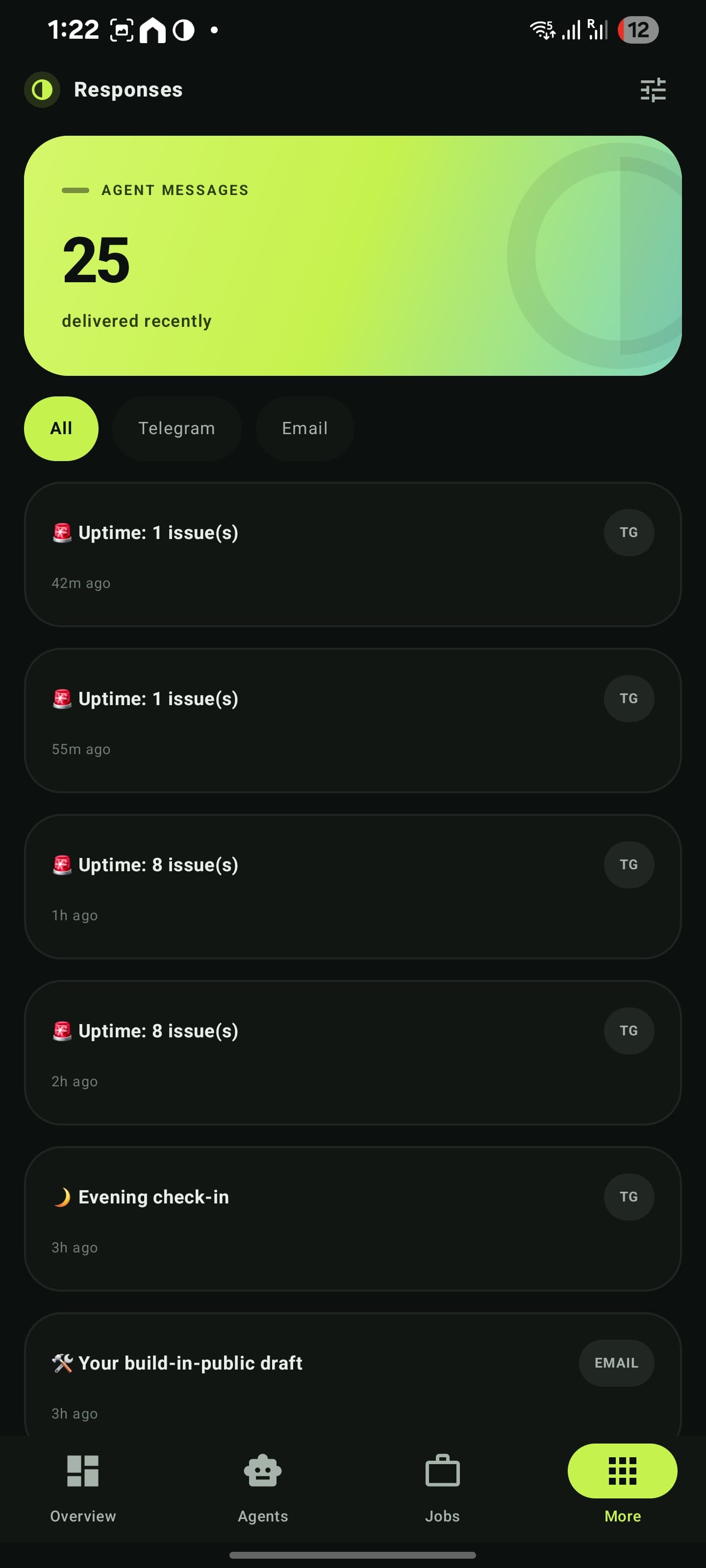
Responses
What the agents actually sent
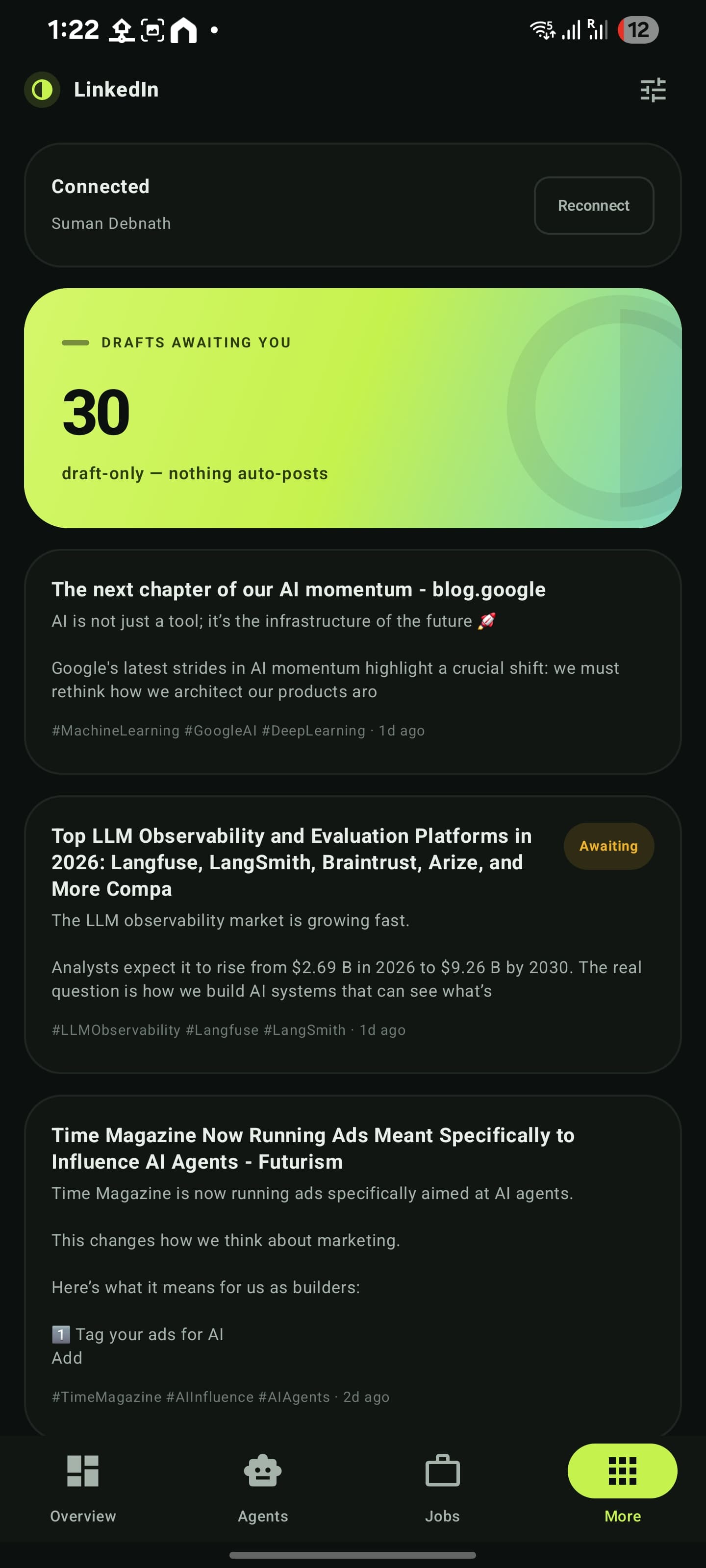
Draft-only — nothing auto-posts
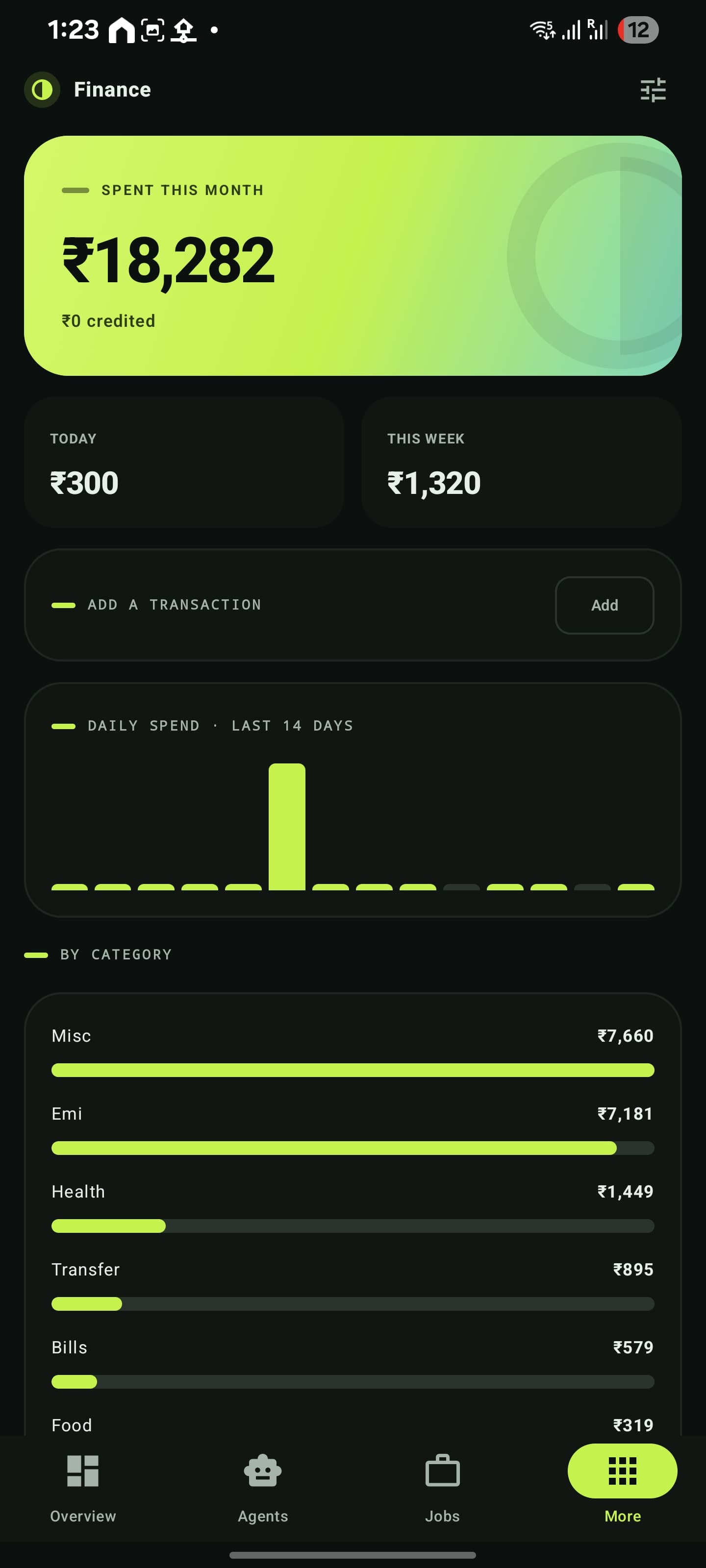
Finance
Budgets, trend and quick capture
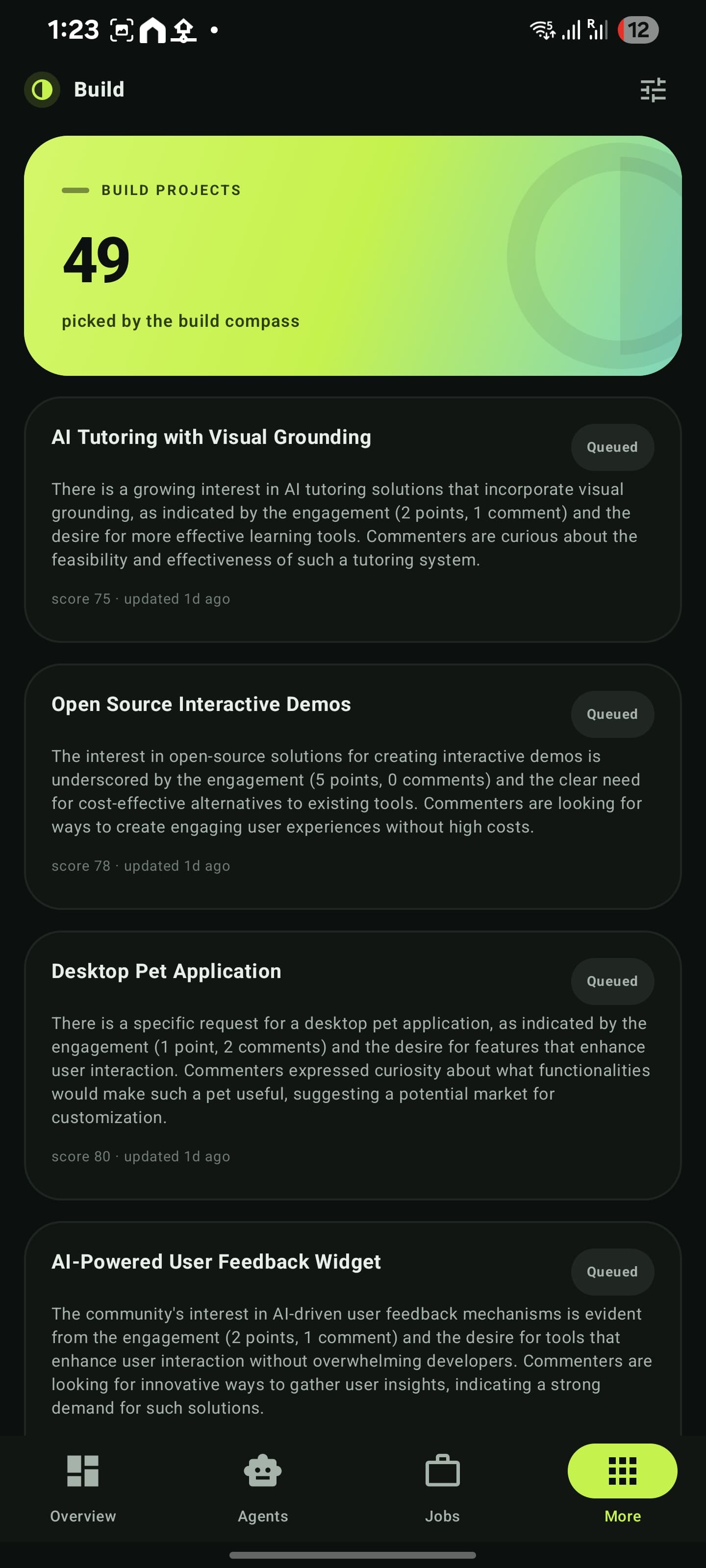
Build
Scored ideas the compass picked up
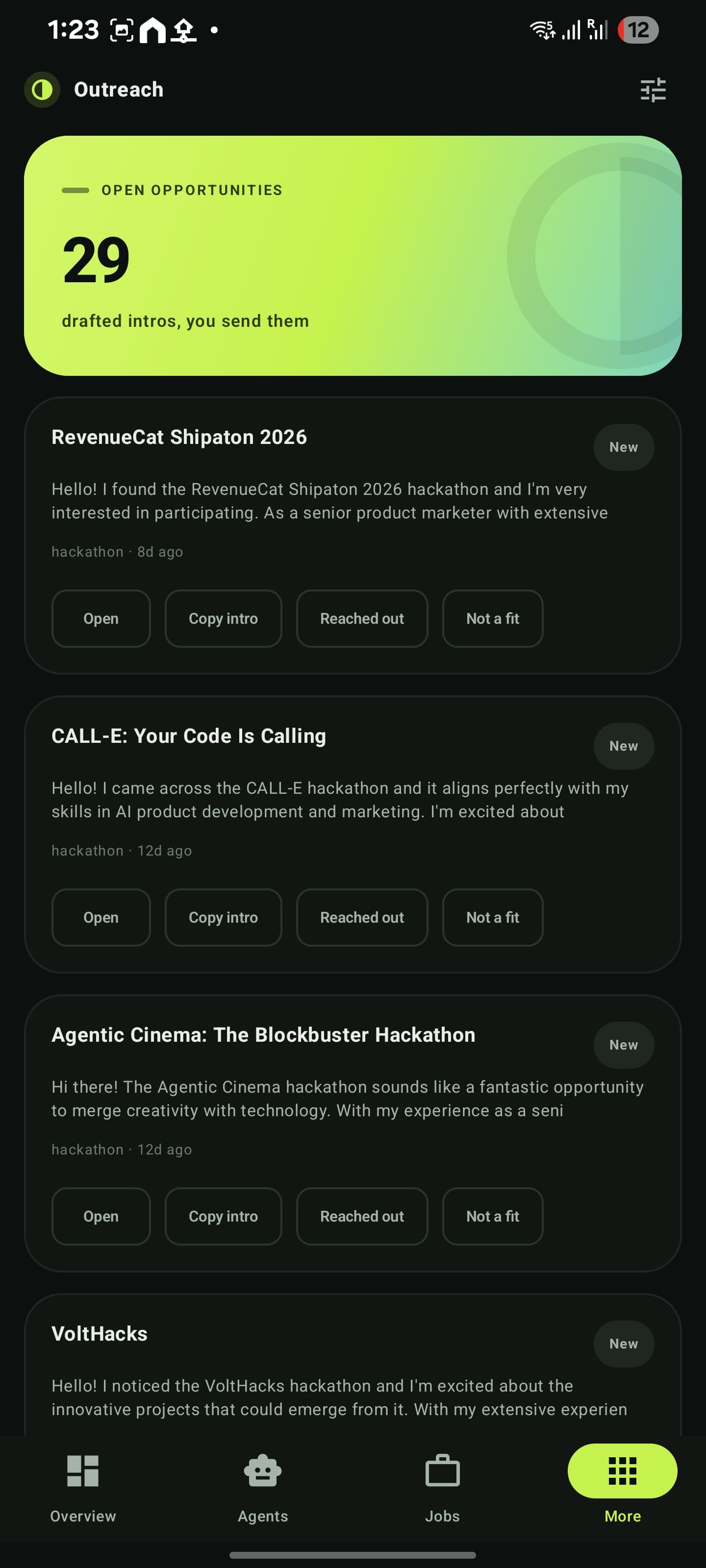
Outreach
Leads with intros already drafted
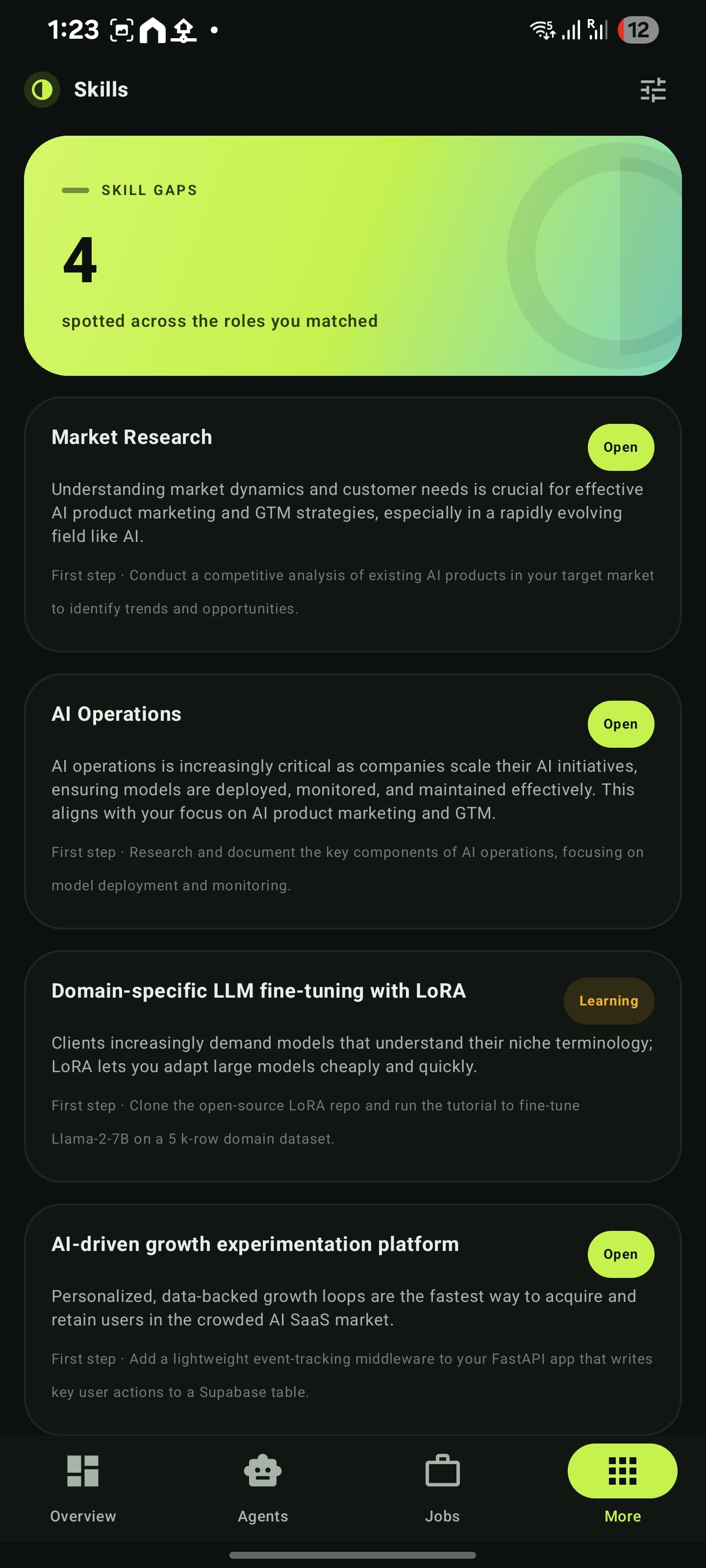
Skills
Gaps found in the roles you matched
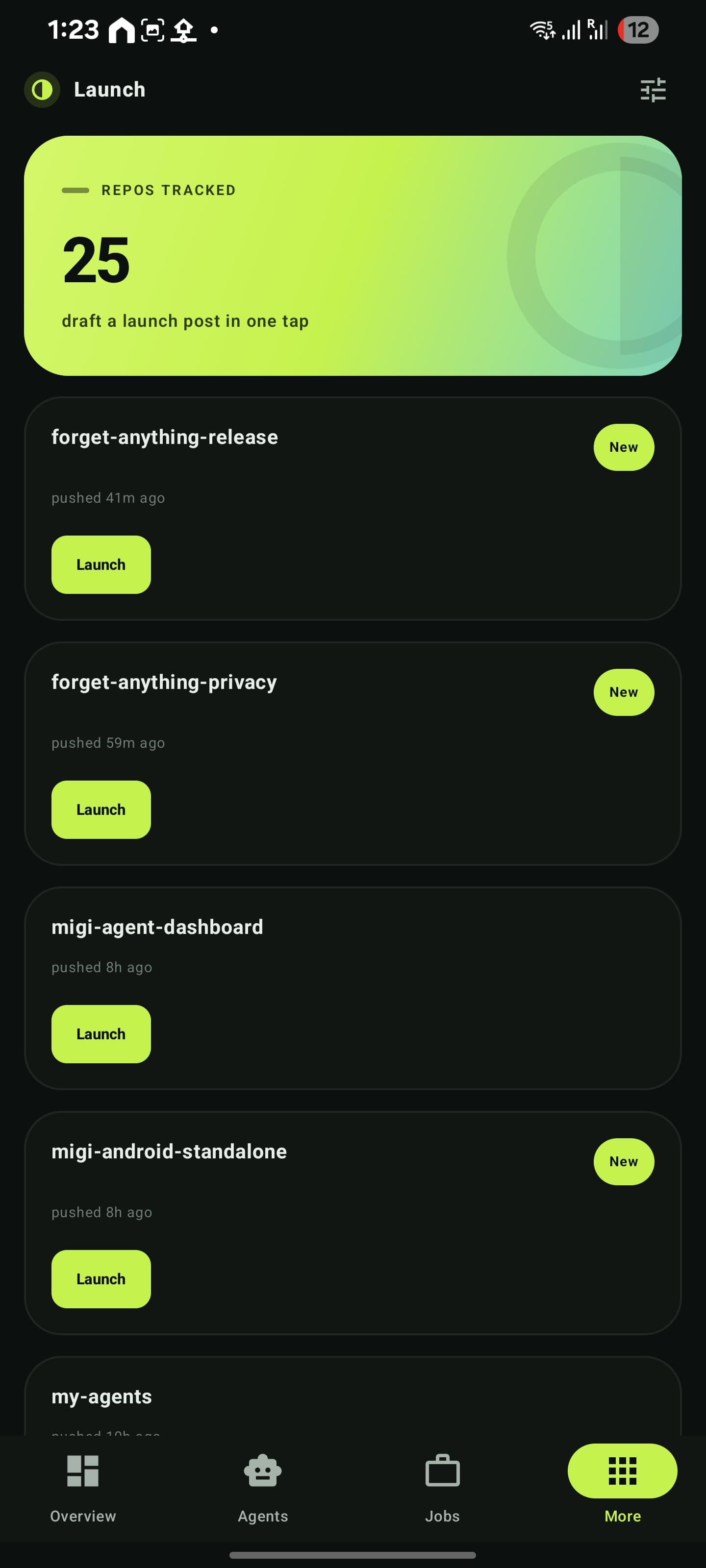
Launch
Repos tracked, launch post in one tap
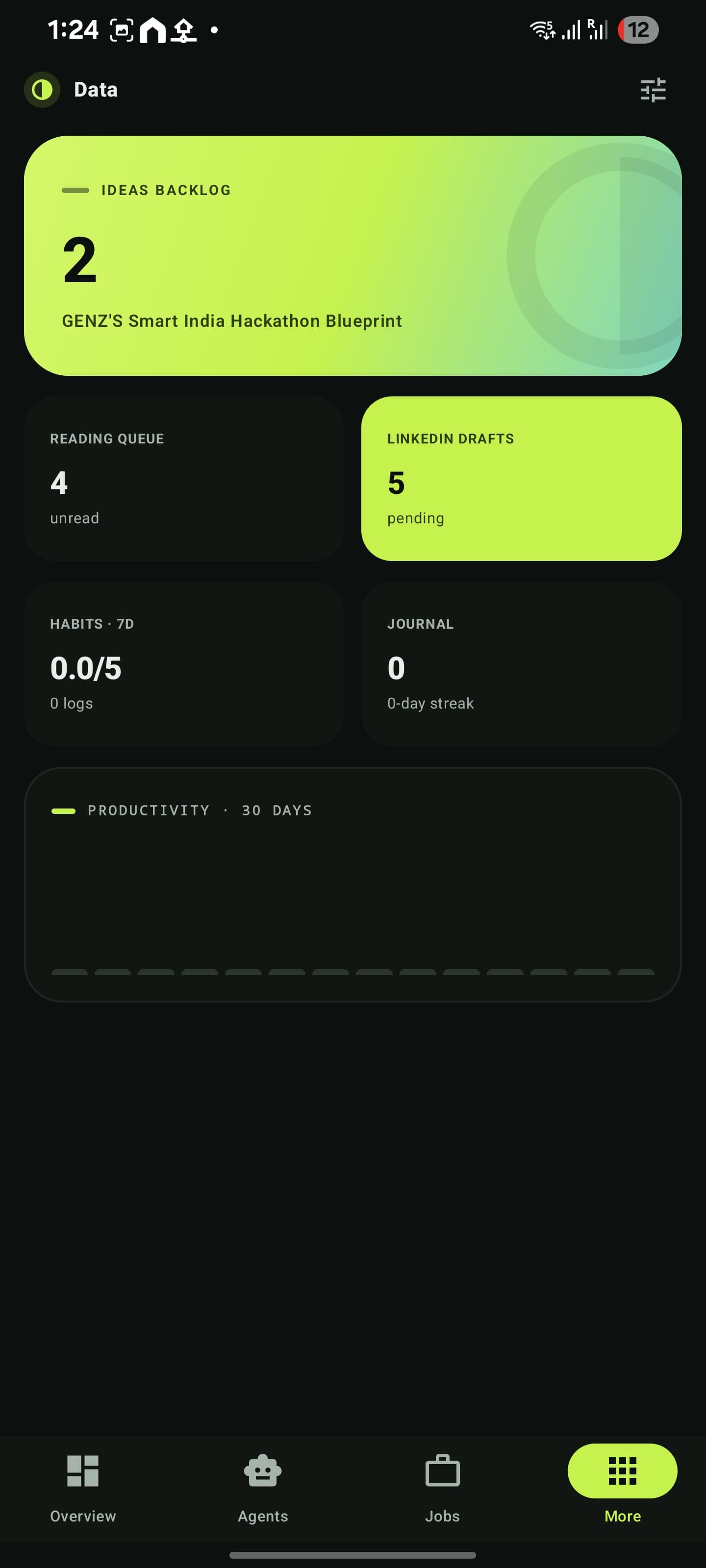
Data
Ideas, reading, habits and journal
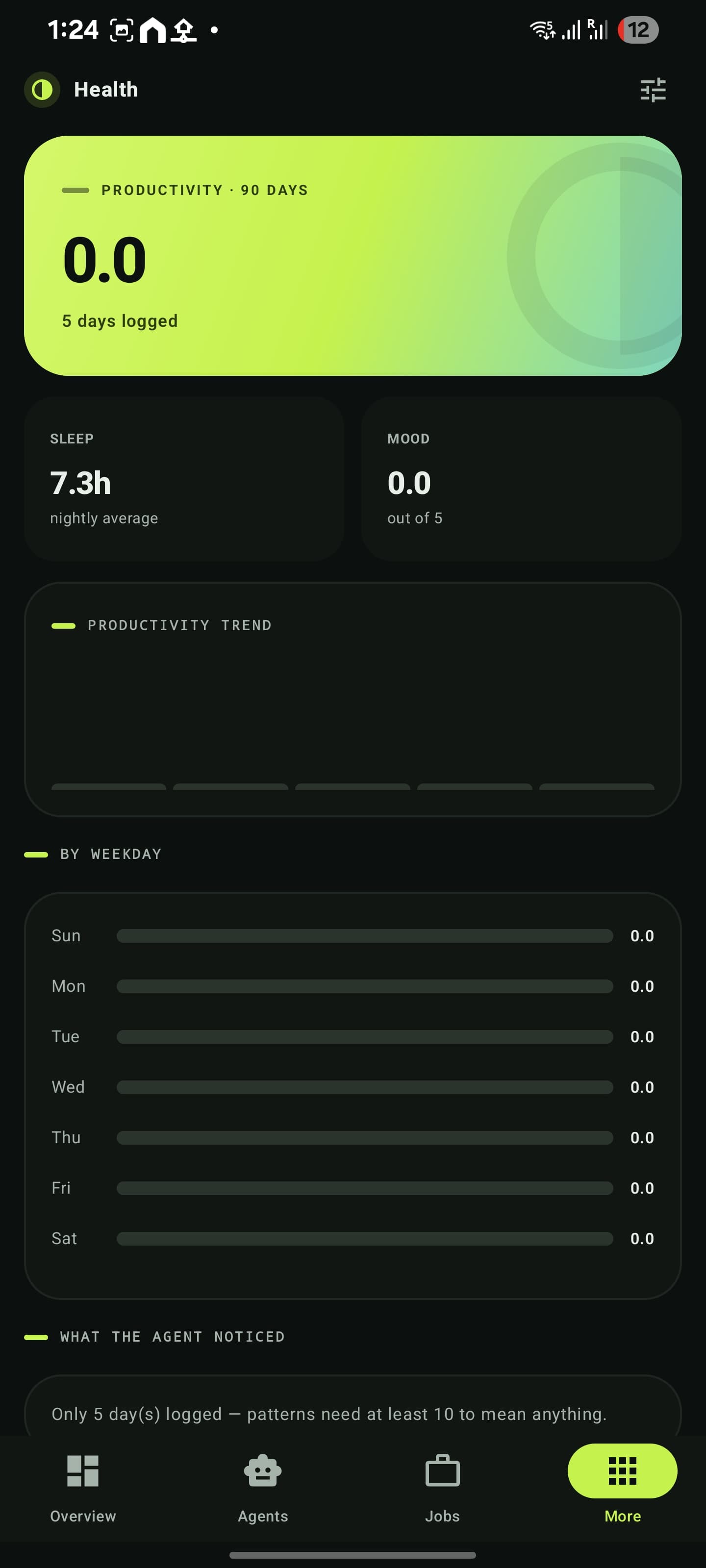
Health
Sleep, mood and weekday patterns
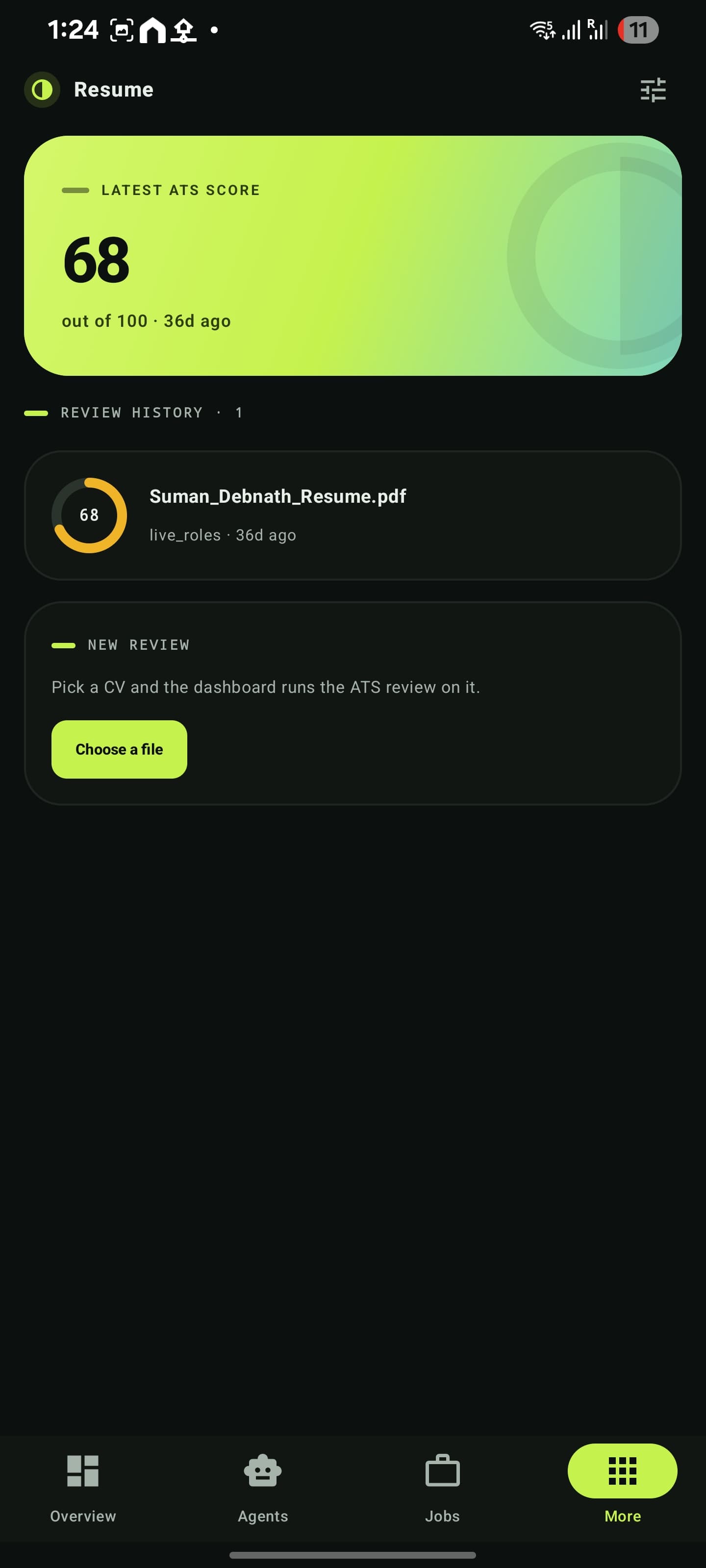
Resume
ATS score history, upload a new CV
ECHO
Ask, or tap the mic
MAS
Mission launcher and command deck
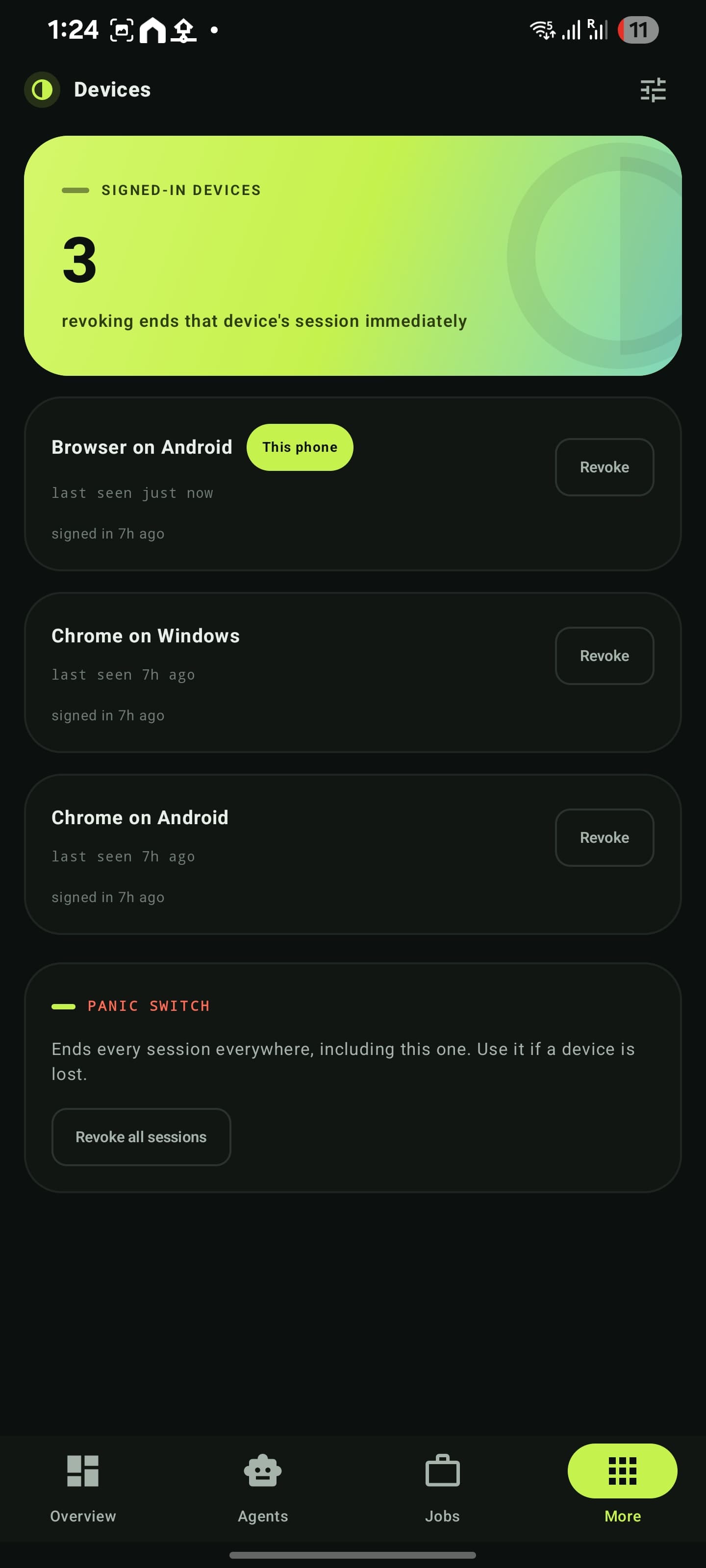
Devices
This phone badged, panic switch below
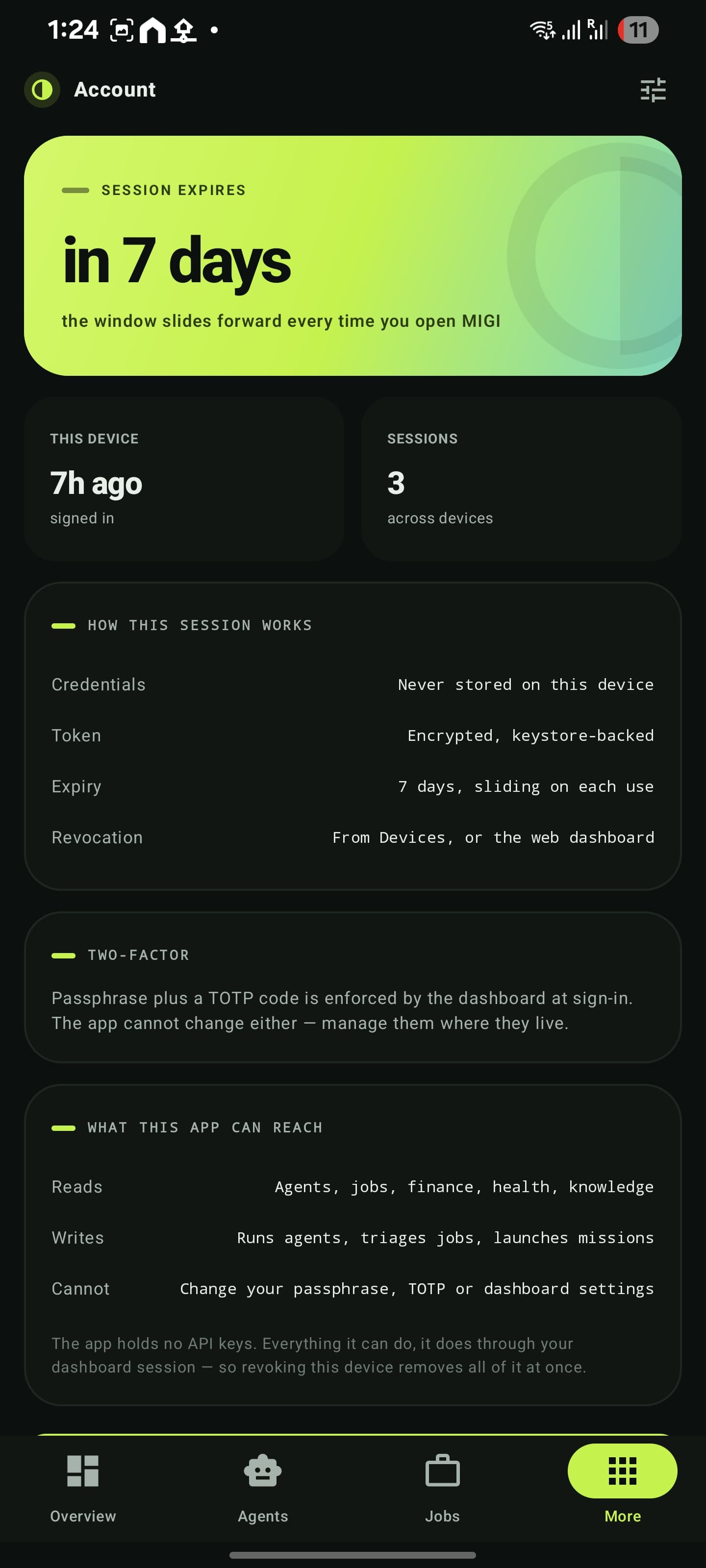
Account
Exactly what this app can reach
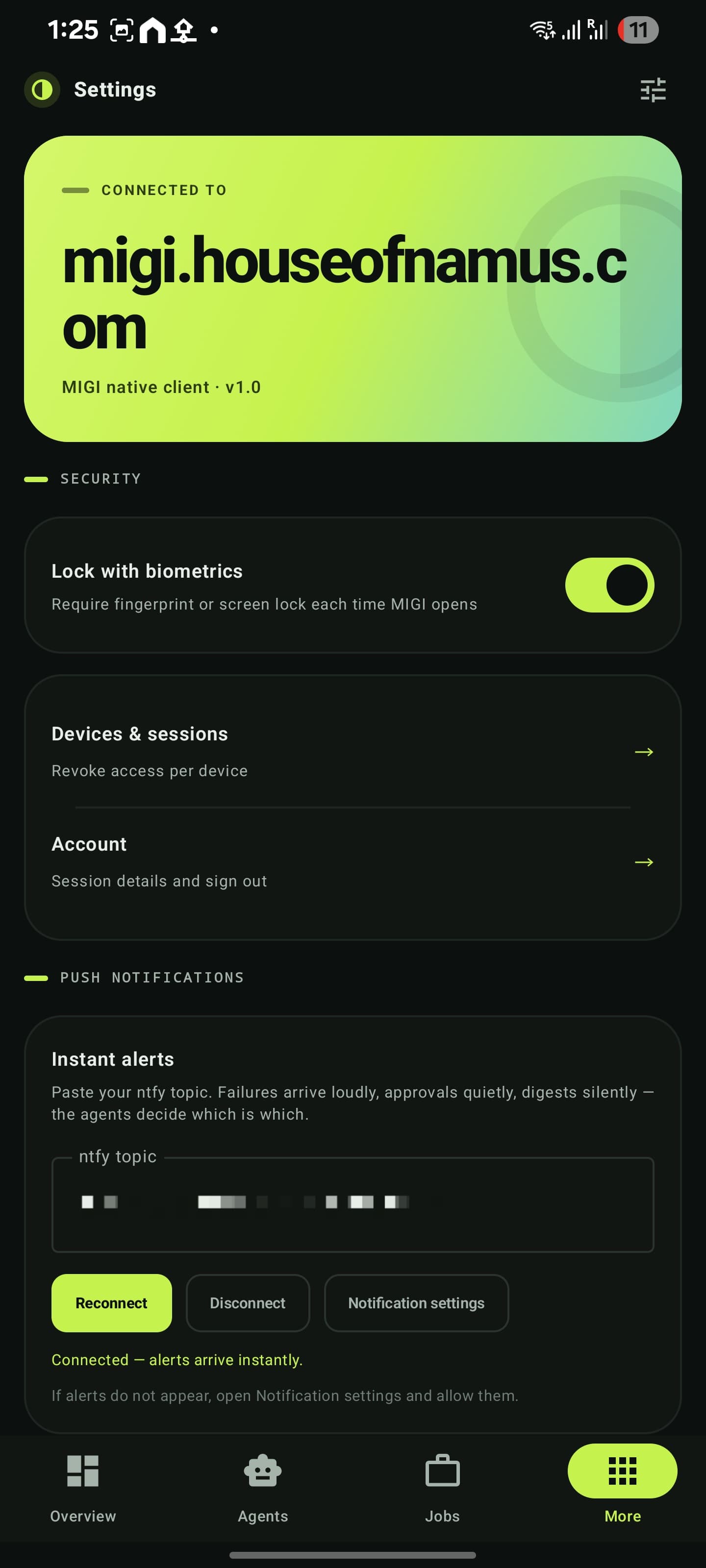
Settings
App lock, refresh interval, push
The parts that only exist because it’s native.
Six surfaces that live outside the app itself — on the lock screen, the launcher, the settings shade and the share sheet. This is the actual difference between an app and a page in a box.
Push, without Firebase
All 46 agents already funnel every message through one file to reach Telegram. One HTTP POST added there covers the entire fleet — no Firebase project, no service account, no token registry.
Home-screen widget
Fleet health on the launcher, built with Glance. It reads the app’s own disk cache rather than the API, because a widget has no session and duplicating auth would put the token in a second place.
Quick-settings tile
One swipe from anywhere starts a read-only fleet triage. Read-only deliberately: a tile that dispatched real work would be a hazard one accidental tap away.
Share target
Share a link from any app and pick a destination: read later, watch later, save as an idea, or teach the knowledge base. It files and finishes without ever opening the app or asking for an unlock.
On-device voice
Speech recognition runs on the phone and only the transcript is sent, as an ordinary question. The backend needed no change — and the web version cannot do this at all.
Offline-first
Every response is cached to disk, so a cold start paints last-known state immediately and refreshes underneath. A failed refresh keeps the cached content instead of blanking the screen.
Four problems worth writing down.
Authentication without a single new endpoint
The obvious path was to add a device-token API to the dashboard. Reading the existing code showed it was unnecessary.
The app signs in through the login route that was already there — passphrase plus a TOTP code — and keeps the returned session token in EncryptedSharedPreferences behind a keystore key. The passphrase and the code are never stored.
Because that session is a row in the database like any other, the phone appears in the dashboard’s own Devices screen and can be revoked from either side. Nothing new to protect, and no second credential path to keep in sync.
The interesting engineering was reading someone else’s auth carefully enough to discover the feature already existed.
Push for 46 agents, in one file
Firebase is the default answer, and it wanted a project, a service-account key, a token-registration endpoint and a sender — two repositories and a new external dependency, for one phone.
The fleet had a property that changed the arithmetic: every agent already routes its messages through a single notification helper. One HTTP POST added there covers all 46. The transport is ntfy — publish to a topic, subscribe from the phone.
A central classifier then tiers every message: failures arrive loudly, approvals quietly, routine digests silently. Individual agents know nothing about priority, so uptime checks are silent while everything is healthy and loud the moment a site goes down.
The best backend change is the one you don’t make.
Six identical bugs, and the lesson underneath
Six screens shipped rendering zeros. Each looked correct in source. Every one was a guessed JSON key — skills instead of items, ideas instead of projects.
The failure was not the guessing. It was fixing instances rather than the class: each was corrected as it was reported, and the next appeared a day later.
The actual fix was an audit — extract every field the app reads, diff it against every route’s selected columns, in one pass. It found two more bugs in code already believed correct. The same shape had appeared in the design system, where one colour token meant for text on lime, used as a general text colour, made figures invisible on six screens at once.
One line, six symptoms. Fix the class, not the instance.
Adding to a codebase you rely on daily
The backend was treated as read-only throughout. When two capabilities genuinely needed server support — capturing shared links, and deleting from the knowledge base — they were added as new files only, in new directories, with the diff against the previous commit verified empty before pushing.
No existing route changed by a single line.
Every change to a locked repository is recorded with its commit hash, a revert command, and a note on what the fleet does without it. The push integration also has a kill switch that needs no code change at all: remove one environment secret and the new code returns on its first line.
The goal is not “it works” — it is “I can prove nothing else changed”.
The first two versions were poor. The wrapper was a bookmark, and the initial native build was structurally sound but visually inert — a single column of identical cards with no hierarchy at all. It took a research pass and a blunt round of feedback to establish that the problem was information design, not colour. That is a better story than a straight line, and it has the advantage of being true.
Losing the phone
loses nothing.
The app carries no secrets of its own. Everything it can do, it does through a session that can be ended from either side — and the Account screen states in plain language exactly what it can read, what it can write, and what it can never touch.
No keys, no credentials
Zero API keys in the APK. The passphrase and TOTP code are never written to the device — only the session token, encrypted behind a keystore key.
Biometric app lock
Fingerprint or screen lock required each time the app opens, so an unlocked phone in someone else’s hand still reaches nothing.
Revocable from anywhere
The phone is one row in the sessions table. Revoke it from the app, from the web dashboard, or hit the panic switch and end every session everywhere at once.
A ceiling it cannot raise
The app cannot change the passphrase, the TOTP secret, or any dashboard setting. Its reach is bounded by the session it holds, and nothing more.
Talking to a Next.js dashboard on Vercel, backed by Supabase, GitHub Actions and free-tier LLM providers. The app holds none of that — it holds a session.

One phone, forty-six agents.
The app is the access layer. The work happens in the fleet behind it — scheduled agents, an orchestrator, and a knowledge base that has been reading along the whole time.