AEGIS VAULT — zero-knowledge encrypted notepad

A zero-knowledge encrypted notepad — every note is encrypted in your browser before it ever leaves your device.
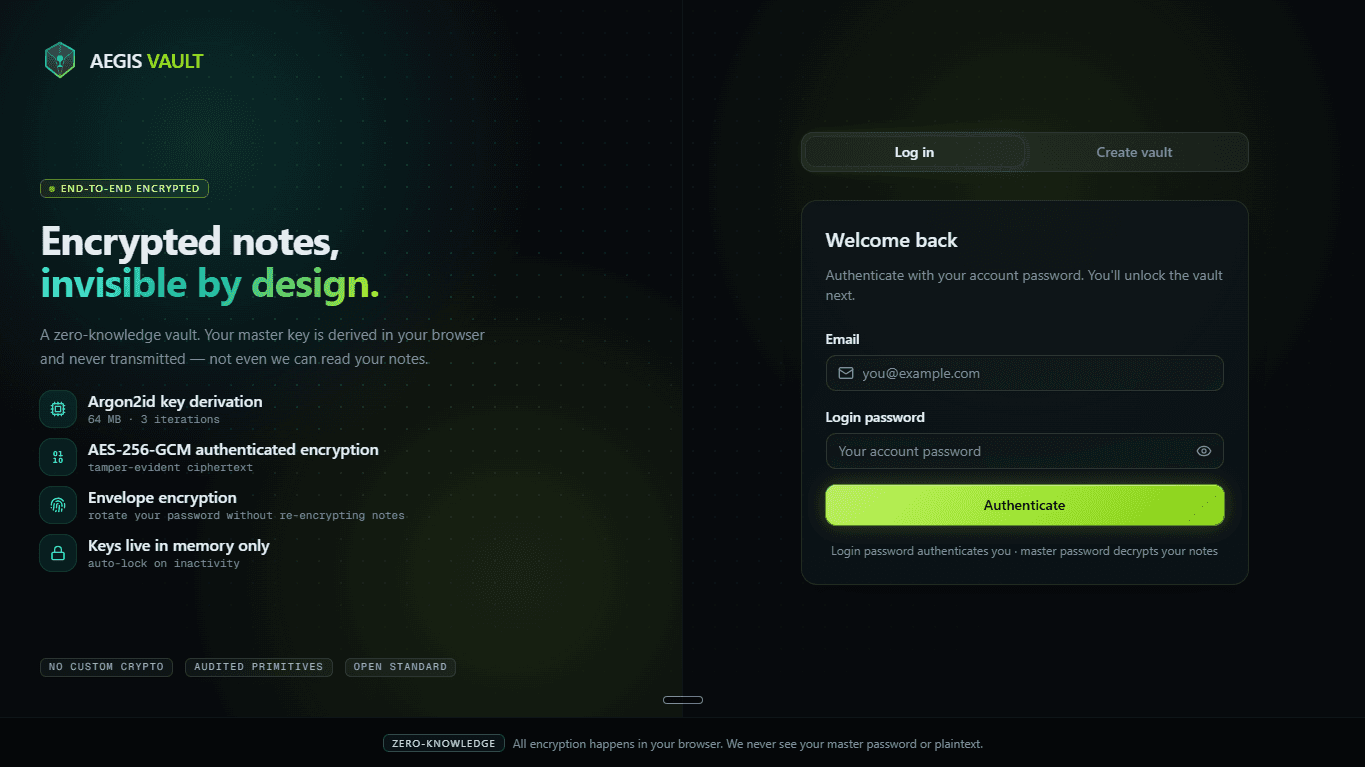
AEGIS VAULT is a zero-knowledge encrypted notepad. Notes are encrypted with AES-256-GCM under an Argon2id envelope, with the key derived from the user's passphrase on their own device — so the server only ever holds ciphertext it cannot read, and a forgotten passphrase is genuinely unrecoverable.
The server stores nothing but ciphertext — a complete database breach would reveal nothing without your master password. The same security model password managers use, applied to note-taking.
Most “secure” notes apps still store your notes in a form the company can read.
You're trusting their servers, their employees, and their breach response. AEGIS VAULT removes that trust requirement entirely: the encryption keys are derived from a master password that never leaves the browser and is never stored anywhere. Even with full access to the database, an attacker gets only unreadable ciphertext.
Security you don't have to think about.
Client-side encryption
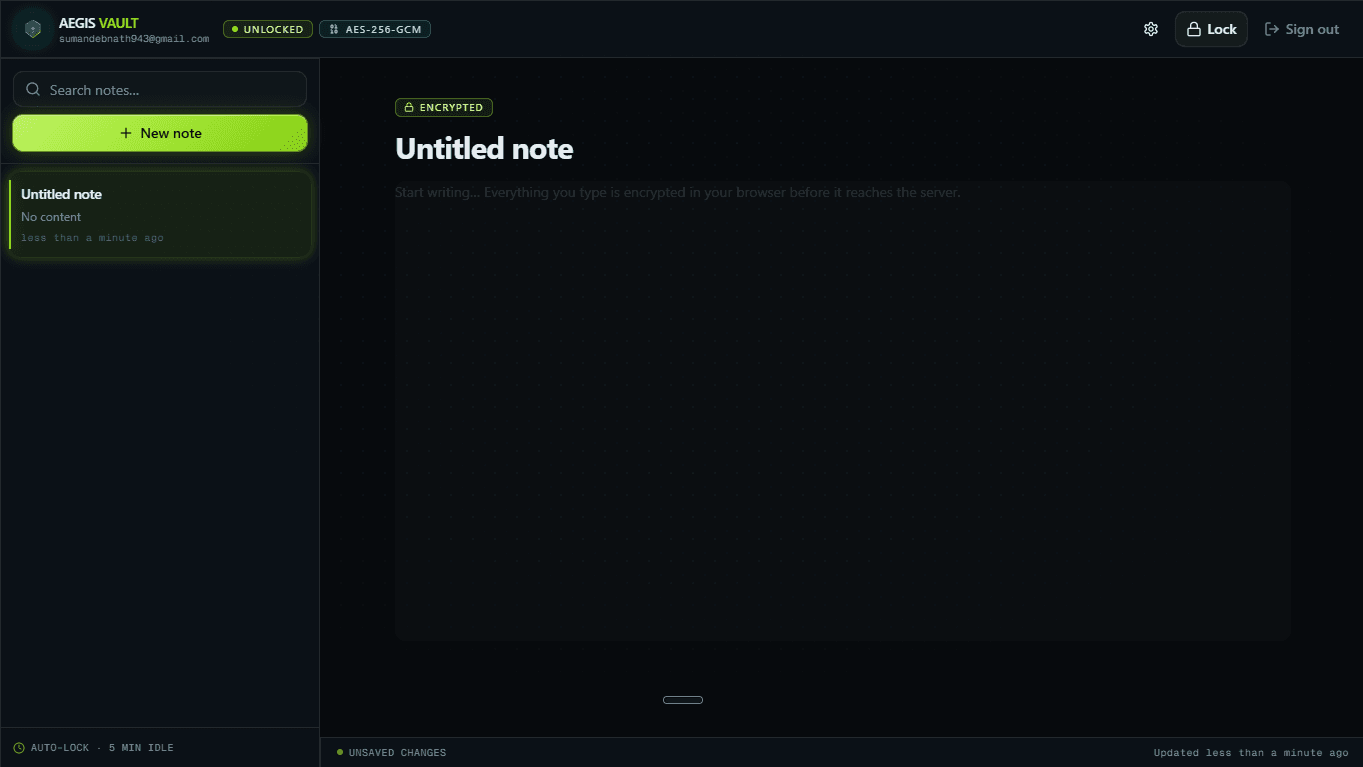
Create, edit and delete notes with auto-save — every note is encrypted in your browser before it is ever stored.
Two-password model
A login password for your account and session, and a separate master password that decrypts your notes.
Multi-device by design
Log in on any device, enter your master password, and your notes decrypt — nothing device-specific is stored.
Auto-lock
Keys are wiped from memory after inactivity, when the tab is hidden, or on logout — re-entry of the master password is required.
Strength enforcement
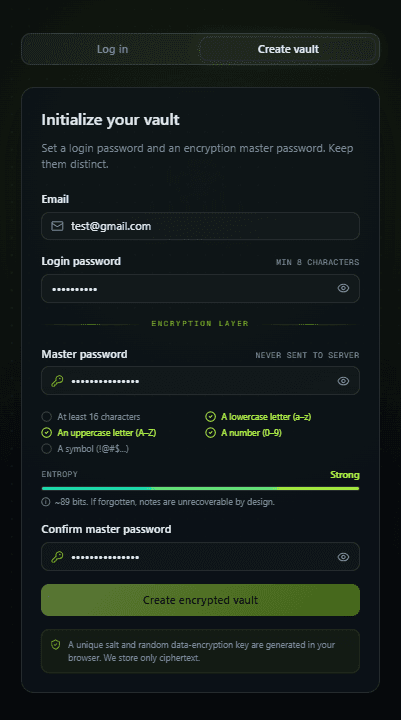
A live checklist requires 16+ characters with mixed case, numbers and symbols before a vault can be created.
Rotation without re-encrypting
Rotate your master password without re-encrypting every note — the envelope pattern re-wraps one key, not the data.
Tamper detection
Notes are authenticated with AES-GCM; any modification to the ciphertext is detected the moment it is decrypted.
Envelope encryption.
The same pattern AWS KMS and Bitwarden use. Your master password never encrypts a note directly — it derives a master key that only wraps a random data-encryption key. That indirection is what lets you rotate your password without re-encrypting a single note, and protects your notes with full-entropy randomness even if your password is weak.
The guarantee
Where the keys live matters more than which cipher you pick. Here, they live only in your browser's memory — never on the wire, never in storage, never on the server.
Master Password
typed by youThe only secret. Never leaves the browser, never stored anywhere.
Argon2id
64 MB · 3 iterations · unique saltA deliberately slow, memory-hard key-derivation function — brute-force is expensive.
Master Key
derived, in-memory onlyWraps (encrypts) the data key. Dropped from memory on auto-lock.
Data Encryption Key
random 256-bit · stored only as ciphertextA full-entropy key that protects your notes even if your password is weak.
Each note
AES-256-GCM · unique nonce per noteAuthenticated encryption — confidential and tamper-evident.
Standard primitives, layered defenses.
Frontend
Next.js 16 (App Router), React 19, TypeScript, Tailwind + shadcn/ui, framer-motion, Zustand
Crypto
Web Crypto API (AES-256-GCM) + hash-wasm (Argon2id) — audited, standard primitives, no custom crypto
Backend
Supabase — Auth for login, Postgres for storage, Row-Level Security for per-user isolation
Sessions
Server-mediated via @supabase/ssr — the auth token lives in an httpOnly cookie JS can't read
Hosting
Vercel (app) + Supabase (data), with real environment & secret management
Hardening
Strict Content-Security-Policy, HSTS, X-Frame-Options, timing-safe auth, server-enforced minimum KDF strength
Five real decisions, each with a real trade-off.
Designing a genuine zero-knowledge model
Rather than “double AES” or hand-rolled crypto, I used envelope encryption so the master password can be rotated without re-encrypting every note — and so notes are protected by a full-entropy random key even when a user's password is weak.
Migrating the backend from SQLite to Supabase
The first build used SQLite + Prisma, which can't run on serverless hosting. I migrated to Supabase Auth + Postgres + Row-Level Security, moving user isolation out of application code and into the database itself — defense in depth.
Closing an XSS session-theft gap
A browser-side Supabase client keeps the session token in JS-readable storage. I re-architected to be server-mediated with @supabase/ssr, putting the session in an httpOnly cookie page scripts can never read — while keeping RLS enforcement intact.
Keeping keys out of persistence
The Master Key and Data Encryption Key live only in memory, are zeroed after use, and are dropped on auto-lock — never in localStorage, sessionStorage, or cookies.
Security-first UX
A live password-policy checklist, an entropy meter and auto-lock make the right behaviour the default — because password strength is the real weak point in any zero-knowledge system.
0
bytes of plaintext or keys the server ever sees
0-bit
AES-GCM authenticated encryption
0 MB
Argon2id memory cost · 3 iterations
0
independent passwords — login vs. master
0%
of encryption/decryption performed client-side
From vault creation to auto-lock.
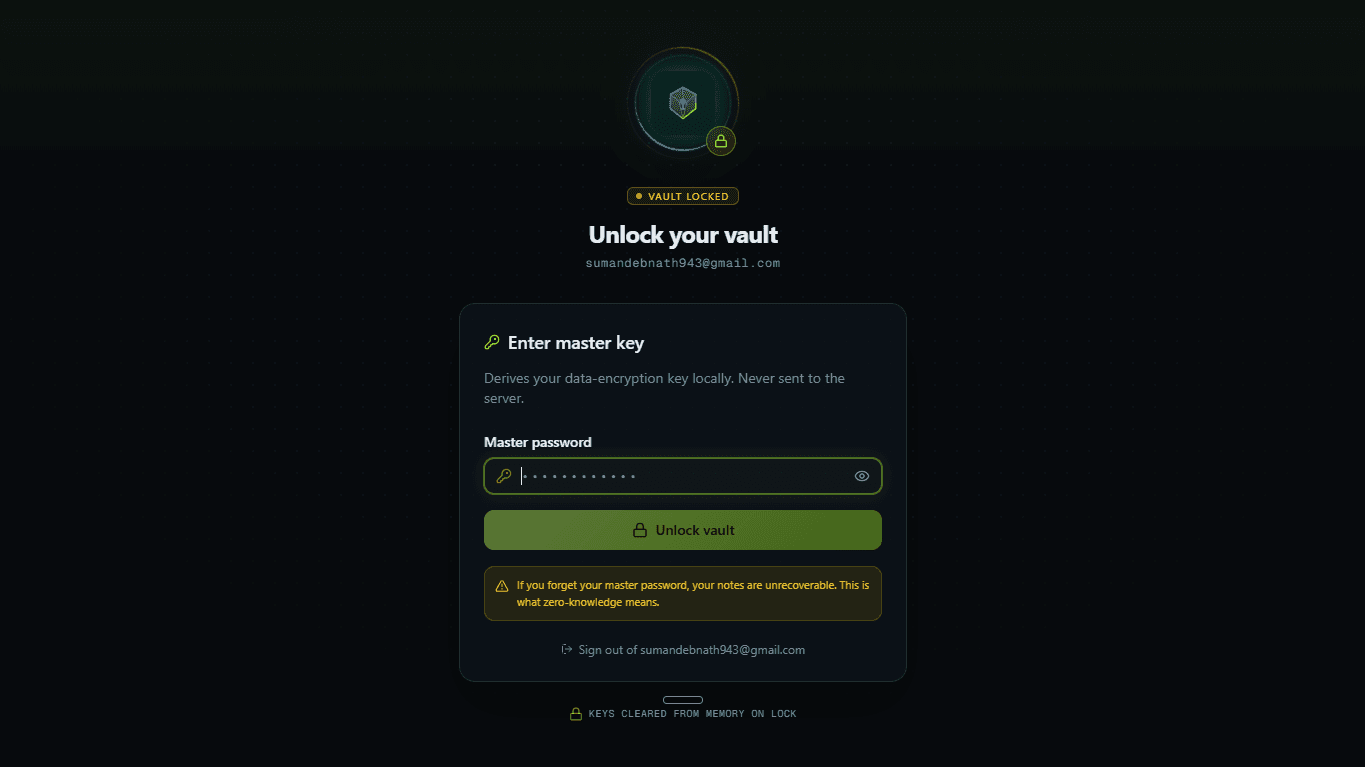
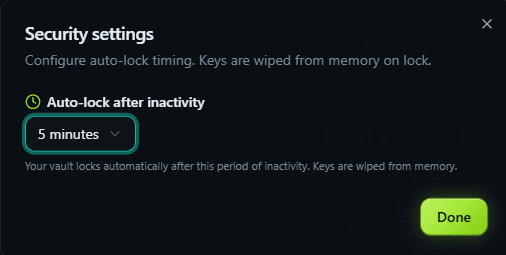
Live states

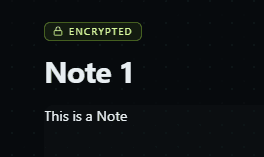
Auto-save re-encrypts every change in your browser before it is written — and each stored note carries a tamper-evident ENCRYPTED state, authenticated by AES-GCM.
Applied cryptography in practice
KDFs (Argon2id) vs. hashing, authenticated encryption (AES-GCM), nonces and salts, and envelope / key-wrapping patterns.
Threat modeling
Reasoning about what a database breach, an XSS, or a compromised device can and cannot reach — and designing so the worst case yields only ciphertext.
“Encrypted” vs. “zero-knowledge”
Why where the keys live matters more than which cipher you pick.
Auth & session security
httpOnly cookies vs. localStorage, server-mediated access, and Postgres Row-Level Security as database-enforced authorization.
Full-stack Next.js
App Router, Route Handlers, middleware, and a clean split between a browser fetch client and server-side data access.
Explicit trade-offs
Self-hosted vs. managed, database-enforced vs. app-enforced isolation, complexity vs. security — and documenting the why.
Your notes, end-to-end encrypted.
Not even the database can read them.
A portfolio demonstration & educational project — a strong design, not a professionally audited security product. Please don't store truly sensitive data.